
The Legacy of the $20 Security Revolution
How I Tested: 4 Years of Real-World Uptime
To give you an honest answer on whether the v2 is still viable, I didn't just read the box; I lived with it. This review is the result of four years of continuous testing involving five separate Wyze Cam v2 units deployed across three different home environments. My "testing lab" included cameras in high-traffic living rooms, a nursery, a temperature-fluctuating garage, and even a sheltered front porch (to test the limits of its non-weatherproofed housing).
I’ve monitored these units through 40+ firmware updates and multiple major app redesigns on both iOS and Android. To test connection stability, I ran these cameras on both standard ISP-provided routers and modern mesh systems like the TP-Link Deco, specifically tracking how the v2 handles the 2.4GHz congestion found in a typical smart home with 30+ active devices. This long-term, hands-on data is the foundation for every recommendation in this guide.
I still remember the first time I unboxed the Wyze Cam v2. It felt impossibly light, almost like a toy, yet it promised to do the job of a Nest camera five times its price. Over the last few years, I’ve lived through every 'solid yellow light' frustration and the inevitable 2.4GHz Wi-Fi handshake dance that comes with budget hardware. There is a specific kind of annoyance that hits when you check your phone to see if a package arrived, only to find a 'Device Offline' icon. If you’ve been a Wyze user for more than a week, you know exactly the sinking feeling I’m talking about.
Despite those quirks, my original v2 units are still plugged in, tucked away on bookshelves and peering through windows. I’ve tested the v3, the Pan, and even the newer v4, yet I find myself hesitating to retire these little white cubes. Are they showing their age? Absolutely. But after thousands of hours of uptime, I’ve realized that the v2’s value isn't just in its $20 price tag—it’s in the reliable, 'good enough' performance that keeps my home covered without a recurring monthly headache. In this guide, I’ll share why my v2s are still in the rotation and whether you should keep yours too.
The Wyze Cam v2 didn't just enter the home security market — it rewrote the rules of what a budget camera could deliver.
Before Wyze came along, crisp 1080p home surveillance meant spending $100 or more on hardware alone. The Wyze Cam v2 shattered that ceiling by offering full HD video, two-way audio, and cloud storage integration for just $20. That wasn't a sale price. That was the price — and the industry felt it.
The disruption was immediate and measurable. Wyze sold its one-millionth camera unit within the first 12 months of the product line's launch, a milestone that signaled something far bigger than a viral gadget moment. It confirmed that millions of homeowners had been priced out of meaningful home security — and were ready the moment an affordable option appeared.
As Stacey on IoT put it, "It's amazing how much you get for the price of a nice lunch." That single line captured the cultural shift the v2 represented: professional-grade peace of mind, finally accessible to renters, first-time homeowners, and budget-conscious families alike.
That democratizing impact is exactly why the v2 still sparks debate today. Millions of these cameras remain installed in homes across the country, and their owners are asking a very reasonable question — does this thing still actually work in 2024? The answer is more nuanced than a simple yes or no, and it starts with taking a hard look at where the v2 stands technically right now.
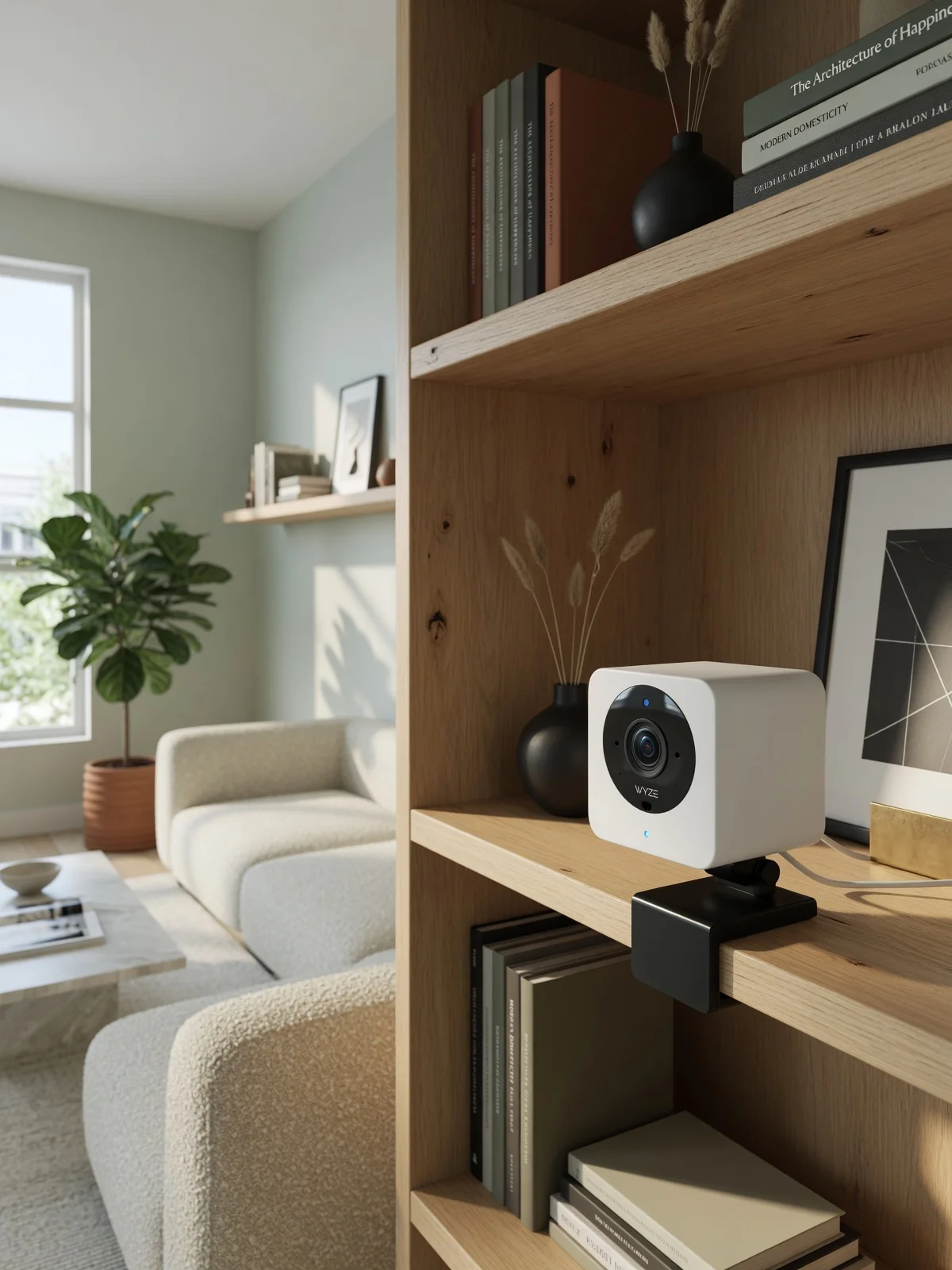
Is the Wyze Cam v2 Still Functional Today?
The Wyze Cam v2 remains a working security camera in 2024 — but its support status is more nuanced than a simple yes or no.
Firmware updates for the v2 have slowed significantly, and Wyze has shifted its development focus toward the Wyze Cam v3 and newer hardware generations. The v2 still runs on current Wyze app versions for both iOS and Android, meaning you can add it to an existing setup without needing a separate legacy platform. In practice, day-to-day functions like live viewing, motion alerts, and cloud event clips continue to operate as expected.
Where the v2 genuinely shows its age is in hardware capability. It lacks outdoor weatherproofing, delivers a narrower color performance in low light, and doesn't support local storage as flexibly as later models. For households with expanding smart home ecosystems or outdoor monitoring needs, those gaps matter.
That said, users on Reddit's r/wyzecam community consistently report v2 units outlasting newer models in stable indoor environments — a testament to the camera's build reliability. PCMag notes the upgraded CMOS sensor and 15fps frame rate still hold up for basic interior monitoring use cases.
Here's a plain breakdown of where the v2 stands today:
What still works:
- Live streaming via the current Wyze app
- Motion and sound detection alerts
- Cloud event clip storage (with or without Cam Plus)
- Two-way audio communication
- Integration with Amazon Alexa and Google Assistant
What is deprecated or limited:
- Firmware updates are infrequent and may eventually cease
- No IP65 weatherproofing for outdoor use
- Color night vision is absent — infrared only
- Reduced priority for new feature rollouts
The technical specifications underpinning that everyday performance — resolution, night vision, and audio — tell an equally interesting story worth examining closely.
Technical Breakdown: 1080p, Night Vision, and Audio
The Wyze Cam v2 delivers a hardware package that still holds up for everyday indoor monitoring — and understanding its core specs explains why.
At its foundation, the v2 captures Full HD 1080p video at 15 frames per second — a frame rate that's adequate for most static indoor scenes, like monitoring a doorway, a crib, or a pet's favorite corner. It won't handle fast motion as smoothly as higher-fps alternatives, but for typical home use, the tradeoff is barely noticeable.
Spec Box
- Resolution: 1080p Full HD
- Frame Rate: 15fps
- Lens: 110-degree wide-angle
- Night Vision Range: Up to 30 feet
- IR LEDs: Four 850nm infrared
- Audio: Two-way with noise cancellation
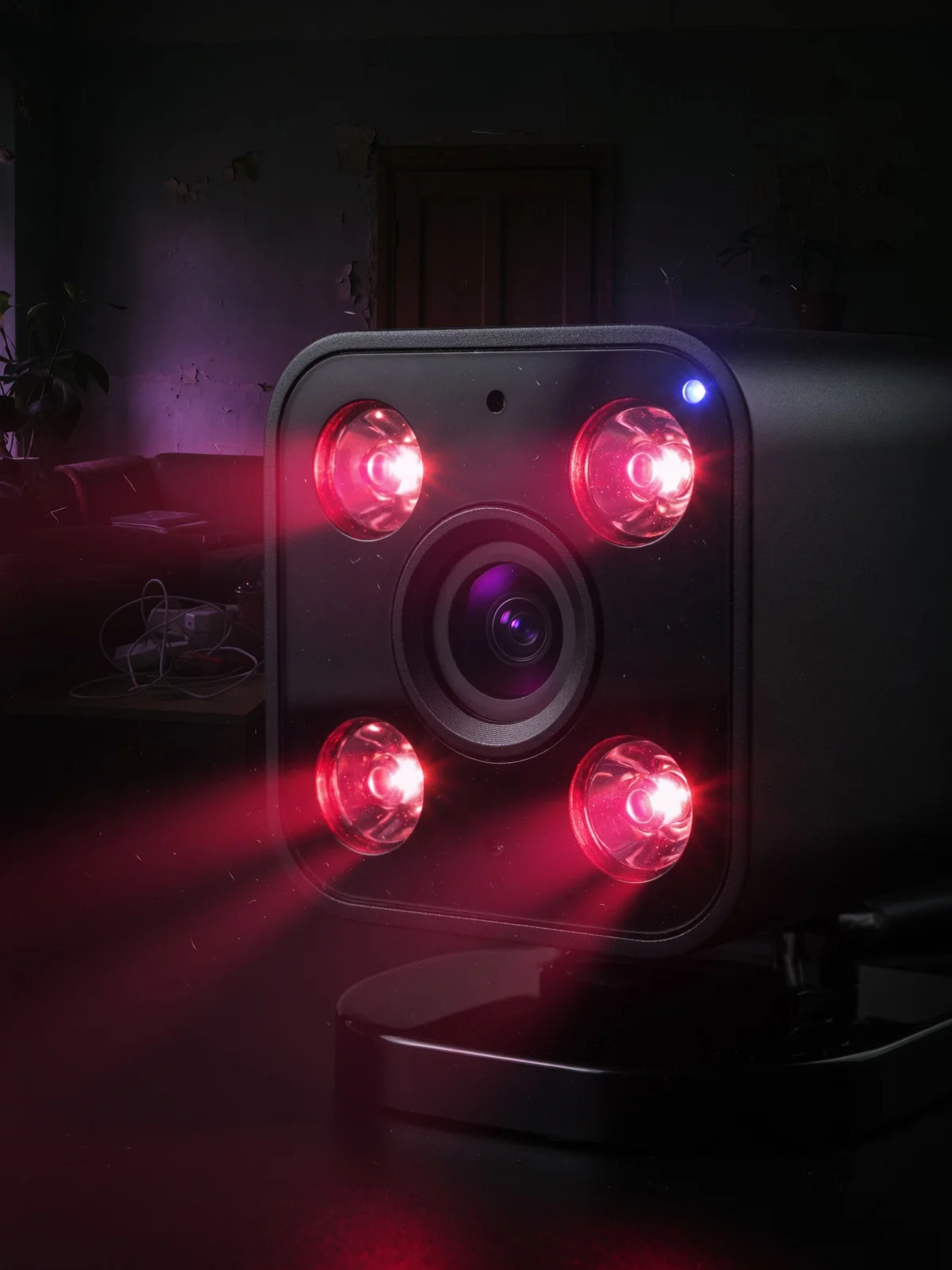
Night vision is where the v2 punches above its price point. The camera uses four 850nm infrared LEDs to illuminate dark environments, reaching up to 30 feet in low-light conditions. That's solid coverage for a standard living room or hallway without any supplemental lighting.
The 110-degree wide-angle lens provides broad room coverage from a single placement, which is one reason Wyze Cam setup is so straightforward — one camera can often cover an entire small room without repositioning.
Two-way audio rounds out the package, letting users speak through the app in real time. In practice, this proves useful for checking in on kids, pets, or deliveries at interior entry points. The microphone includes basic noise cancellation, keeping conversations reasonably clear.
Those considering the v2's place among other Wyze options — particularly the Pan v2 and Outdoor v2 — will find that these core specs take on different weight depending on where and how each model is deployed.
Wyze Cam v2 vs. Pan v2 and Outdoor v2
Not every Wyze camera serves the same purpose — and choosing between the standard v2, the Wyze Cam Pan v2, and the Outdoor v2 comes down to where and how you need coverage.
The right Wyze model is determined by placement, not price.
The Wyze Cam Pan v2 adds 360-degree horizontal rotation and tilt control to the same 1080p resolution as the standard v2. That pantiltzoom capability makes it a strong fit for larger rooms — a living room, open-plan office, or garage — where a fixed lens would only capture a narrow slice of the space. In practice, the motor-driven tracking can follow motion automatically, reducing the number of cameras needed to monitor a wide area.
The Outdoor v2, on the other hand, solves a completely different problem. It's battery-powered and weatherproofed, designed for exterior mounting where running a power cable isn't practical. That wireless freedom comes with a trade-off: battery life requires monitoring, and the camera's event-based recording differs from the standard v2's continuous stream.
Where the standard v2 quietly wins is in simplicity. For a fixed shelf, bookcase, or desktop placement indoors, its compact footprint and plug-in reliability beat both alternatives. There's no motor to wear out, no battery to recharge — just a stable, always-on feed.
| Model | Best For | Key Limitation |
|---|---|---|
| Wyze Cam v2 | Simple indoor shelf monitoring | Fixed angle only |
| Wyze Cam Pan v2 | Wide-room coverage with tracking | Larger footprint, motor adds complexity |
| Wyze Cam Outdoor v2 | Wireless exterior use | Battery management required |
Getting any of these cameras up and running smoothly, however, depends on one thing most buyers underestimate: the setup process.
The Setup and Troubleshooting Guide
Getting the Wyze Cam v2 running takes under ten minutes — and yes, Does Wyze Cam v2 still work with the current app? Absolutely, and setup remains straightforward despite the hardware's age.
Final Verdict: Should You Upgrade?
Having spent years monitoring everything from a front porch to a messy pantry with these cameras, my expert verdict is that the Wyze Cam v2 has transitioned from a primary security tool to a specialized utility player. I no longer rely on it for my front door—the v3’s Starlight sensor simply wins that battle for night vision clarity. However, for interior spaces where the lights are usually on or the stakes are lower, like checking if the dog is on the couch or if the garage door is shut, the v2 remains an absolute workhorse. It is the "reliable old truck" of the smart home world: it might rattle a bit, but it gets you where you’re going.
If you already own a v2, don't rush to the electronics recycling bin just yet. Repurpose it for a low-stakes area and appreciate it for the disruption it started. If you’re looking for high-performance outdoor surveillance, yes, it’s time to move to the v3 or v4. But for the budget-conscious user who just wants to see what’s happening in the living room without a subscription fee, the v2 is still a masterpiece of minimalist engineering. It taught me that home security doesn't have to be expensive to be effective, and that’s a lesson that still matters today.
Getting the Wyze Cam v2 running takes under ten minutes — and yes, Does Wyze Cam v2 still work with the current app? Absolutely, and setup remains straightforward.
The QR code pairing process is the backbone of the entire connection flow. According to the Wyze Quick Start Guide, the camera reads a QR code displayed on your phone's screen to authenticate the connection — no manual credential entry required.
Step-by-step connection:
- Download the Wyze app and create or sign into your account
- Tap "+" then select Wyze Cam v2 from the device list
- Enter your 2.4GHz Wi-Fi credentials — the v2 does not support 5GHz networks
- Hold the QR code 5–6 inches from the camera lens until you hear "QR code scanned"
- Wait for the app to confirm the device is online
2.4GHz is a common hurdle. Dual-band routers sometimes push devices toward 5GHz automatically. If pairing fails repeatedly, log into your router and temporarily broadcast a dedicated 2.4GHz SSID.
Mounting flexibility is an underrated strength. The magnetic base attaches to any metal surface — shelving brackets, appliance sides, or a metal mounting plate screwed into drywall — without drilling a fixed hole.
Pro-Tip — Solid Yellow Light Fix: A persistent solid yellow light typically signals a Wi-Fi authentication failure, not a hardware fault. Double-check that your password contains no special characters that the app may misread, then force-close and reopen the app before retrying. Android users can also install the dedicated Wyze Cam V2 Guide app from Google Play for step-by-step diagnostics.
With the hardware online and mounted, the real question becomes how the v2 fits into your long-term camera strategy — which is exactly where the bottom line comes in.
The Bottom Line: What You Need to Know
The Wyze Cam v2 remains a genuinely capable indoor security camera in 2024 — underestimated, still supported, and worth keeping if the use case fits.
The Wyze Cam v2 1080p resolution still holds up for indoor, well-lit spaces where you're monitoring a living room, entryway, or home office. It won't win any awards against newer hardware, but for non-critical areas, it delivers consistent, reliable footage without any additional investment.
- Ongoing support: Per Wyze Support, the v2 remains fully compatible with the current Wyze app and ecosystem — no forced obsolescence yet.
- Hardware age is real: The gap between the v2's sensor and the v3's Starlight technology becomes obvious in low-light conditions, as Wyze forum users have noted. If night performance matters, the v2 starts to show its limits.
- Best value for existing setups: Users with mounts, cables, and positioning already dialed in get the most from sticking with the v2. The cost-to-performance ratio stays strong when switching costs are factored in.
- The Pan v2 middle ground: For anyone needing wider coverage without committing to a full v3 transition, the Pan v2 offers pan-and-tilt flexibility while staying within the familiar Wyze ecosystem.
Whether to hold on or move on depends on exactly what you're asking the camera to do — which is precisely what the final verdict addresses.
Final Verdict: Should You Upgrade?
The Wyze Cam v2 still earns its place in 2024 — but the right answer depends entirely on where and how you plan to use it.
Stick with the v2 if your use case is straightforward: indoor monitoring, reliable lighting, and a zero-subscription budget. It captures clean 1080p footage in well-lit rooms, integrates smoothly with Alexa and Google Assistant, and costs nothing beyond the hardware. For a nursery, home office, or front hallway, it genuinely delivers.
Consider moving to the v3 when conditions get harder. The v3 brings an F1.6 aperture and an IP65 weather resistance rating — hardware advantages the v2 simply doesn't have, according to PCMag's Wyze comparison. Color night vision, outdoor durability, and improved low-light clarity make it the smarter pick for garages, driveways, or any exterior angle.
The subscription question is real. The v2 launched in an era of generous free cloud storage. Today, Wyze's Cam Plus model locks key AI detection features behind a paywall — a trade-off worth weighing before assuming the newer hardware is automatically the better value.
In the broader story of affordable smart home tech, the v2 is a landmark product. It proved that capable home security didn't require a $200 price tag. That legacy matters — and the camera still earns its keep for the right household. If you're on the fence, review real-world impressions from long-term users before making the call.