
The Local Control Advantage: What Z-Wave Means for Your Honeywell Thermostat
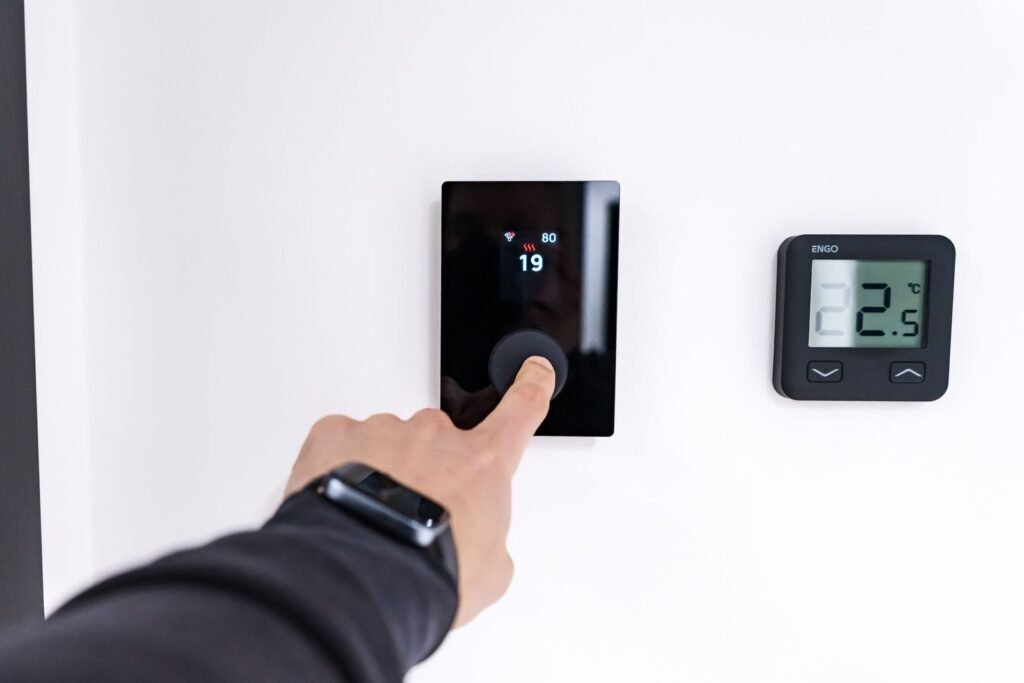
When your internet goes down, a cloud-dependent thermostat becomes an expensive paperweight. The Honeywell Z-Wave thermostat solves this by running on a dedicated mesh network that operates entirely independent of your internet connection. By processing automation rules directly on a local hub, it eliminates the ’round-trip’ latency of cloud servers and keeps your private usage schedules off external servers. that operates entirely independent of your internet connection — making it one of the most reliable smart home devices you can install.
Z-Wave is a purpose-built wireless protocol designed specifically for smart home devices, not a variant of Wi-Fi. That distinction matters more than most homeowners realize. According to SmartHome Perfected, Z-Wave operates on 908.42 MHz in the US—a frequency well separated from the 2.4 GHz and 5 GHz bands that Wi-Fi, Bluetooth, and streaming devices fight over constantly. According to the Z-Wave Alliance, this sub-GHz frequency allows signals to pass through walls and floors more effectively than higher-frequency protocols. that Wi-Fi, Bluetooth, and streaming devices fight over constantly.
This separation eliminates what’s often called bandwidth bloat — the signal congestion that builds as you add more smart devices to an already crowded Wi-Fi network. Each new Z-Wave device actually strengthens the mesh rather than straining it, since nodes relay signals between each other without touching your router.
One important caveat worth understanding upfront: a compatible Z-Wave hub — such as Ring Alarm, Hubitat, or SmartThings — is required to connect the thermostat to the rest of your smart home ecosystem. The thermostat doesn’t speak directly to an app on its own.
With that foundation in place, it’s worth taking a closer look at exactly what hardware powers this experience — starting with the flagship T6 Pro and its Z-Wave Plus specification.
Hardware Deep Dive: The T6 Pro Z-Wave and Z-Wave Plus Standards
The Honeywell T6 Pro Z-Wave thermostat (model TH6320ZW2003) isn’t just a firmware update on older hardware — it’s a genuinely upgraded device built around the Z-Wave Plus chip standard, and that distinction matters more than most buyers realize.
Z-Wave Plus is the detail that separates a capable device from a great one. Z-Wave Plus is the detail that separates a capable device from a great one. According to industry standards from the Z-Wave Alliance, the Plus generation delivers a confirm 50% increase in battery life and a in range compared to standard Z-Wave chips. and a 67% increase in range compared to standard Z-Wave chips. In a wired thermostat installation that’s less critical, but for battery-backed setups or homes with thicker walls, those numbers translate directly into fewer headaches.
The T6 Pro’s hardware profile reinforces that promise:
Wireless range: Up to 200 feet with a compatible hub, per Resideo product specifications
SmartStart Inclusion: Scan a QR code to add the device to your network — no manual pairing mode required
7-day programmable scheduling: Onboard, not cloud-dependent
AES-128 encryption: Baked into the Z-Wave Plus standard for secure mesh communication
SmartStart deserves a specific callout. What typically happens with older Z-Wave inclusion is a frustrating dance of button presses and timing windows. SmartStart eliminates that friction entirely — the hub pre-provisions the device before it’s even powered on. For installers managing multiple thermostats across a property, that efficiency compounds quickly.
That combination of extended range, stronger battery performance, and simplified setup is precisely why security professionals gravitating toward integrated ecosystems tend to favor this hardware — a point worth exploring in more depth next.
Why Security Professionals Prefer Honeywell Z-Wave Ecosystems
Security professionals choose Z-Wave thermostats because reliability in a security mesh isn’t optional — it’s the entire point.
As PCMag notes, “The T6 Pro Z-Wave is a great choice for those who want a reliable, no-frills smart thermostat that integrates deeply with professional security systems.” That phrase — “no-frills” — deserves more credit than it gets. In a security context, fewer moving parts mean fewer failure points.
Deep ecosystem integration is what separates Z-Wave thermostats from consumer Wi-Fi devices. Platforms like Ring, Alarm.com, and Resideo ProSeries are all built around Z-Wave’s deterministic mesh networking, where each node — door sensor, motion detector, thermostat — strengthens the overall signal rather than competing for bandwidth. The T6 Pro slots directly into that architecture without configuration headaches.
Contrast this with Wi-Fi-based alternatives. The Honeywell thermostat TH6220WF2006 runs on the same chassis as the T6 Pro but relies entirely on your home Wi-Fi network and a cloud app to function. For casual users, that’s fine. For a monitored security installation, a cloud dependency is a liability — app outages, router reboots, and ISP interruptions can all break the connection at exactly the wrong moment.
In practice, Z-Wave mesh nodes maintain communication even when individual links drop, which is why professional installers consistently favor them. When the goal is a system that works quietly in the background without demanding attention, “no-frills” stops being a limitation and becomes the feature that earns trust. That said, choosing the right model matters — and the model numbers can be surprisingly easy to mix up.
Navigating the Models: T6 Pro vs. TH6320ZW2003 vs. TH6220WF
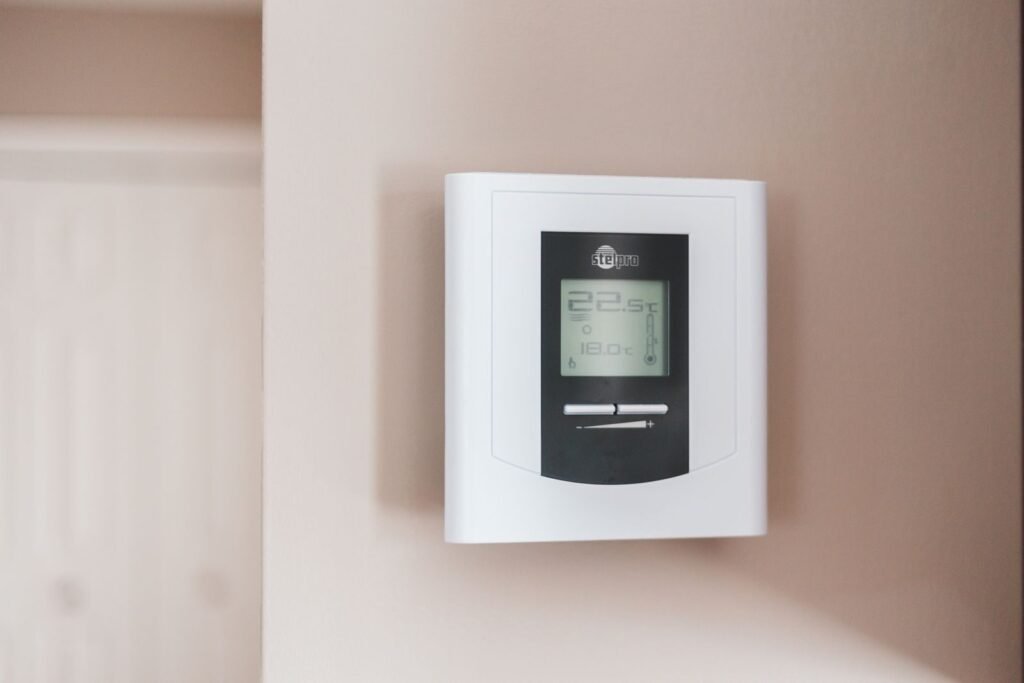
Buying the wrong T6 Pro is surprisingly easy — both the Z-Wave and Wi-Fi versions share an identical white square chassis, making the model number the only reliable way to tell them apart.
The TH6320ZW2003 is the one you want for local Z-Wave automation. This is the model that runs on Z-Wave Plus technology, integrates cleanly into security hubs, and operates entirely without a cloud dependency. The TH6220WF2006, by contrast, is the Wi-Fi variant — it looks identical on the shelf but routes all commands through Resideo’s cloud servers. As noted by AlarmGrid and Resideo, this housing confusion trips up a significant number of buyers who only discover the mismatch after unboxing.
|
Model Number |
Protocol |
Best For |
|---|---|---|
|
TH6320ZW2003 |
Z-Wave Plus |
Local automation, security hubs, no-cloud setups |
|
TH6220WF2006 |
Wi-Fi |
App-based control, Resideo cloud integration |
Retailers sometimes label the Z-Wave version as a “Z-Wave Programmable” thermostat rather than leading with the T6 Pro branding — which adds another layer of confusion. Before purchasing, run through this quick packaging check:
Look for “Z-Wave Plus” explicitly printed on the box
Confirm the model number ends in ZW2003, not WF2006
Verify the protocol listed is Z-Wave, not Wi-Fi or dual-band
Getting the right hardware off the shelf is the first step — but knowing how it physically installs into your home’s mesh network is equally important, and that’s where things get genuinely interesting.
Installation and Mesh Optimization: Beyond the Manual
Getting the most from a T6 Pro Z-Wave programmable thermostat isn’t just about mounting it on the wall — it’s about understanding how it contributes to your entire Z-Wave mesh.
A C-wire connection transforms the T6 Pro from a passive device into an active repeater node, strengthening every Z-Wave signal that passes through your home.
C-wire vs. battery power is the single most consequential installation decision you’ll make. When wired to a continuous 24V C-wire, the thermostat actively repeats Z-Wave signals to neighboring devices, filling coverage gaps in your mesh. Running on batteries alone eliminates that repeater function entirely — the thermostat becomes a leaf node, receiving signals but never relaying them.
⚠️ Warning: Battery-only mode disables Z-Wave repeater functionality. If your thermostat is centrally located in your home, losing that repeater node can create dead zones for locks, sensors, and other devices on the far side of it.
Inclusion pairing is the next practical hurdle. Most hubs require you to put the controller into “inclusion mode” before triggering the thermostat’s pairing sequence from its menu. A common issue is timing — if either device times out first, the pairing fails silently. Staying within 6–10 feet of your hub during initial inclusion dramatically improves success rates.
Range expectations deserve an honest look. Per Resideo Technical Documentation, effective range can fall well short of the rated 200-foot maximum depending on home construction — concrete walls, metal framing, and HVAC ductwork all attenuate signal. In practice, placing at least one other C-wire-powered Z-Wave device between your hub and the thermostat creates a more resilient path than relying on a single long hop.
With your mesh optimized and your thermostat properly wired in, the broader picture of what makes this setup genuinely reliable starts to come into focus — and that’s worth examining closely before making your final decision.
The Bottom Line: Key Takeaways for Your Smart Home

The Honeywell Z-Wave thermostat earns its place in any serious home automation setup because it keeps working when everything else fails. As covered throughout this article — from mesh topology to model selection — the advantages compound once you understand what you’re actually buying.
Local control is the foundation of reliability. Z-Wave thermostats remain fully controllable via local hubs even if your home’s external internet connection fails, according to SmartHome Perfected — a critical advantage over cloud-dependent alternatives.
Z-Wave Plus is a meaningful upgrade. The T6 Pro Z-Wave Plus delivers superior mesh range and improved battery life compared to older Z-Wave devices, making it the smarter long-term investment.
Local processing prevents bandwidth bloat. Because commands route through your Z-Wave hub rather than the cloud, the thermostat adds virtually no load to your home Wi-Fi network — a real benefit in bandwidth-heavy households.
Model number verification is non-negotiable. Always confirm you’re purchasing the Honeywell TH6320ZW2003 Z-Wave version — the identical chassis makes it easy to accidentally order the Wi-Fi variant instead.
In practice, these four factors separate a casual smart home from a genuinely resilient one. Whether Z-Wave is actually the right protocol for your specific setup is worth thinking through carefully — and that’s exactly what the next section addresses.
Is a Honeywell Z-Wave Thermostat Right for You?
Z-Wave is the right choice for homeowners who refuse to trade reliability and privacy for convenience — and the Honeywell T6 Pro delivers exactly that.
For the casual user, a standard Wi-Fi thermostat works fine. App control, cloud scheduling, and remote access cover most everyday needs without much setup complexity. But that’s a different product for a different mindset.
For the pro-level setup, Z-Wave changes the equation entirely. As PCMag notes, Z-Wave is specifically engineered for stability within security-focused ecosystems rather than just standalone consumer apps. No cloud dependency, no data harvesting, no single point of failure — just a mesh network that keeps your climate control running whether your internet is up or not. That’s a meaningful distinction for anyone building a serious local automation stack.
The decision ultimately comes down to your priorities. If privacy, local processing, and rock-solid integration with platforms like Home Assistant or SmartThings matter to you, the Honeywell Z-Wave thermostat earns its spot on your wall. If you’re still deciding, the smartest first step is straightforward: check compatibility with your existing hub before purchasing, since not every controller supports Z-Wave out of the box.
Hyvoxa is committed to helping homeowners build automation systems that are robust, private, and built to last. Ready to take your setup further? Explore Hyvoxa’s home automation resources to find the right devices, integrations, and configurations for your smart home.
The Final Verdict: Why Reliability Trumps Features
After a decade of testing everything from DIY Zigbee sensors to professional-grade Z-Wave ecosystems, my takeaway is simple: the best smart home technology is the kind you never have to think about. The Honeywell T6 Pro Z-Wave (TH6320ZW2003) fits that bill perfectly. It doesn’t nag you with firmware updates or lose its mind when you change your Wi-Fi password. It just sits on the wall, talks to your hub, and executes your schedules with boring, beautiful consistency.
If you’re building a system where reliability is the priority—especially if you’re integrating with a security platform like Ring or Hubitat—don’t get distracted by the bells and whistles of Wi-Fi competitors. Stick to the Z-Wave Plus standard, ensure you have a solid C-wire connection to keep your mesh strong, and enjoy the peace of mind that comes with true local control. It’s an “unsung hero” for a reason: it does its job so well you’ll eventually forget it’s even there.
Key Technical Terms Defined
C-Wire (Common Wire): A wire that provides continuous 24V power from your HVAC system to the thermostat, enabling advanced features like Z-Wave repeating. Mesh Network: A network topology where each device (node) relays data for the network, increasing range and reliability as more devices are added. Local Control: The ability to manage smart devices within your home’s internal network without requiring data to travel to an external cloud server. Inclusion/Exclusion: The process of adding or removing a device from a Z-Wave network controller.
Frequently Asked Questions
What does Z-Wave mean on a Honeywell thermostat? It indicates the device uses a specialized mesh networking protocol to communicate with a smart home hub (like Hubitat or Ring) rather than connecting directly to your Wi-Fi router. This allows for local control without internet dependency.
How do I reset a Honeywell Z-Wave thermostat? To reset the Z-Wave connection on a T6 Pro, navigate to the ‘Menu,’ scroll to ‘Z-Wave Setup,’ and select ‘Exclude.’ This removes the device from its current network so it can be paired with a new hub.
Does the Honeywell T6 Pro Z-Wave require a C-wire? While it can run on 3 AA batteries, a C-wire (common wire) is highly recommended. Using a C-wire allows the thermostat to act as a Z-Wave repeater, strengthening your entire home automation mesh network.