
The Brain vs. The Brawn: Defining the Nest’s Role
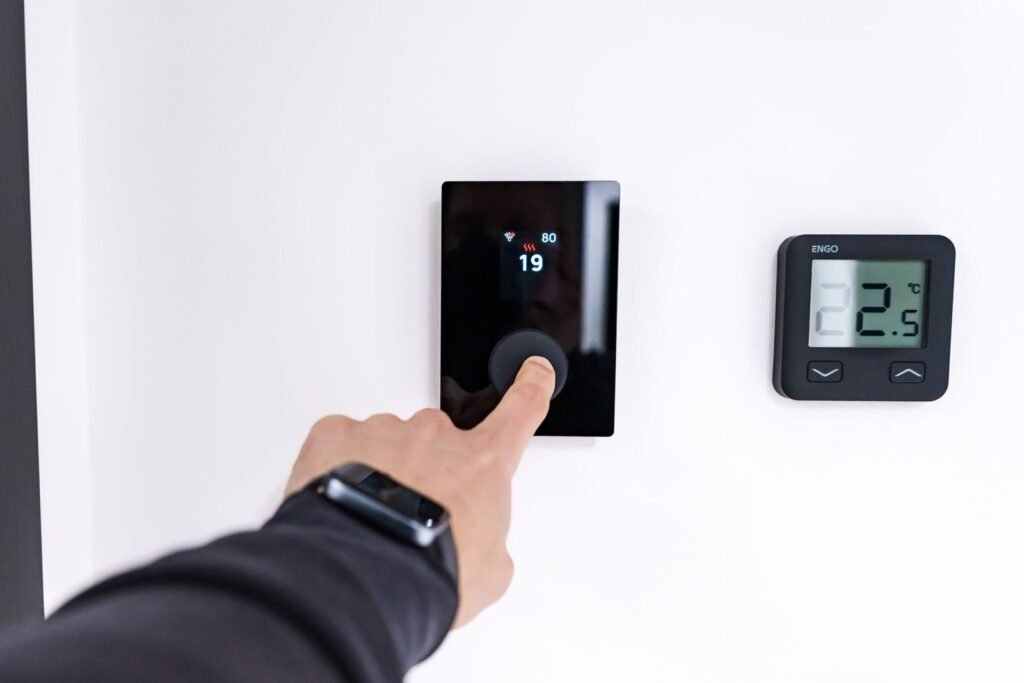
A Nest thermostat is one of the most misunderstood devices in home automation — sleek, intelligent, and surprisingly limited in ways most buyers never anticipate.
Here’s the core distinction that changes everything: a Nest thermostat is a controller, not the heating or cooling system itself. It mounts on your wall, reads your preferences, and sends commands — but it doesn’t generate a single BTU of heat or a degree of cooling. As Comfort Experts put it plainly, “Nest thermostats don’t run the show. They give the orders. Your heating or cooling system still does the heavy lifting.”
That “order-giver” relationship is the critical piece most homeowners miss. The Nest speaks to your furnace, air handler, or heat pump using low-voltage electrical signals — specifically the 24V standard that governs the vast majority of residential HVAC systems. Think of it as a sophisticated translator: it converts your schedule, your habits, and your comfort preferences into signals your existing equipment can act on.
This is also why the upgrade fantasy can go sideways. Smart technology looks transformative, and it is — but only within the boundaries of the hardware already installed in your home. RightAir Solutions confirms that Nest thermostats “optimize existing HVAC systems rather than replacing the physical heating or cooling machinery.” No software elegance overrides an aging compressor.
Before diving into installation, running a nest thermostat compatibility checker is the essential first step — because the real question isn’t whether Nest is smart enough for your home. It’s whether your system speaks the same language.
Compatibility Realities: Will Your System Listen to Nest?

Nest works with far more homes than it doesn’t — but the exceptions are absolute deal-breakers that no amount of clever software can work around.
Before anything else, it’s worth knowing that the Nest Learning Thermostat is compatible with approximately 95% of standard 24V residential HVAC systems, which covers the vast majority of American homes. That compatibility includes gas, oil, and electric furnaces, central air conditioners, heat pumps, and most boiler systems. So if your home has conventional forced-air heating and cooling, the odds are strongly in your favor.
The nest thermostat compatibility chart provided by Google is the clearest first step any homeowner should take before purchasing — it walks you through your existing wiring and system type to confirm a match before you spend a dollar.
That said, certain systems are flat-out incompatible:
High-voltage systems (120V or 240V) — common in older electric baseboard heaters
Millivolt systems — typically found in older gas fireplaces and gravity furnaces
Proprietary communicating systems — some newer variable-speed equipment uses manufacturer-specific control protocols
Multistage and heat pump systems — generally supported, but require careful wiring verification
The C-wire question is where most DIY installations hit a wall. Nest requires a steady power source, and without a common wire (C-wire) in your existing wiring bundle, the thermostat struggles to charge reliably. Google’s Nest Power Connector solves this for many homes, but it’s an added step that catches plenty of buyers off guard.
Those edge cases — particularly the ones involving professional-grade communicating systems — point to a friction point worth examining more closely.
Why Some HVAC Pros Have a Love-Hate Relationship with Nest

Nest thermostat HVAC compatibility looks straightforward on paper — but seasoned technicians know the real-world friction runs deeper than a wiring diagram.
The most contentious issue is “power stealing,” a method Nest uses to draw a trickle of electricity through the heating or cooling circuit when no C-wire is present. In practice, that low-level current draw can confuse sensitive control boards, triggering rapid on-off cycling known as “chattering” — a pattern that accelerates wear on compressors and heat exchangers alike.
Proprietary protocols add another layer of tension. Many modern systems communicate through proprietary serial data protocols rather than simple 24V signal wires. As HVAC.com notes, Nest is generally incompatible with these setups without professional rewiring — and rewiring a modern communicating system isn’t a weekend project.
Contractor preference often defaults to simpler, non-communicating thermostats for exactly this reason. A “dumb” thermostat with no power-stealing logic and no app dependency is predictable. When a heat pump fails at midnight in January, predictable wins.
That said, the picture isn’t entirely bleak. Professional installation largely neutralizes the C-wire and chattering concerns — a licensed tech can verify signal voltage, confirm protocol compatibility, and install a C-wire adapter where needed. DIY installs carry more risk, but they’re also where Nest’s compatibility checker earns its keep.
The honest takeaway: Nest works beautifully in the right system and becomes a liability in the wrong one — which raises a natural question about whether the efficiency gains justify the investment at all.
The ROI of Smart Control: What You Actually Save

Smart thermostat adoption isn’t just about convenience — it’s one of the few home upgrades where the financial case is genuinely straightforward.
Independent studies show Nest thermostats save an average of 12% on heating and 15% on cooling costs, according to Google via ACHR News. Those aren’t marketing estimates — they reflect real usage patterns across diverse climates and home types.
Auto-Away and scheduling are the primary engines behind these numbers. Auto-Away uses activity sensors and your phone’s location to detect when the house is empty, then dials back heating or cooling automatically. Scheduling layers on top: rather than maintaining a static temperature all day, the thermostat ramps up or down around your actual routine. Together, these features eliminate the single biggest driver of wasted energy — conditioning an empty home.
The payback period is typically under two years. A Nest Learning Thermostat retails around $130–$250. At an average annual savings of $131–$145 on a typical U.S. utility bill, the device pays for itself well before the two-year mark.
Energy monitoring adds a longer game. The Nest’s energy history dashboard surfaces patterns — a spike in January, unusual runtime on humid July afternoons — that can flag a struggling compressor or a developing refrigerant issue before a costly breakdown. It won’t repair your equipment, but it gives you data that can start a useful conversation with your technician.
For homeowners exploring whether to nest thermostat control multiple zones, this savings potential compounds with each zone — a topic the next section covers in depth.
Advanced Configurations: Zoned Systems and ‘Dumb’ AC Units

Replacing an old thermostat with Nest gets more complex when your home runs a zoned system, a legacy cooling unit, or separate heating and cooling equipment — and the rules change depending on your setup.
Zoned systems require one Nest per zone — there’s no single-unit workaround. Each zone operates as an independent control circuit, so a three-zone home needs three thermostats. Nest integrates neatly into this structure, provided each zone has its own 24V control wiring. The thermostats don’t communicate with each other directly, so whole-home scheduling requires managing each unit separately or through the Nest app.
Older “dumb” AC units aren’t automatically incompatible. The real question is whether the unit has a 24V control board. If it does, Nest can send and receive the same low-voltage signals it uses with modern equipment — the age of the hardware is largely irrelevant. In practice, many late-1990s and early-2000s central air systems fall into this category and pair without issue.
Separate heating and cooling systems — common in older homes — introduce dual-transformer setups, where each system runs its own power supply. As the Google Nest Community notes, wiring requirements differ significantly from integrated units, and incorrect connections can damage equipment or blow fuses. A licensed technician should verify transformer compatibility before installation.
Window units and portable ACs sit entirely outside Nest’s reach. These systems use standard 120V or 240V plugs — not 24V control wiring — so Nest has no mechanism to control them. Smart plugs can offer basic on/off scheduling, but that’s a separate solution, not a Nest integration. Understanding where these hard boundaries fall sets the stage for the broader picture of what Nest truly is — and isn’t — as a home comfort solution.
The Bottom Line: What You Need to Know
A Nest thermostat can transform how you manage your home’s climate — but it cannot replace your actual heating and air conditioning equipment. That distinction matters before you spend a dollar.
Nest is the brain, not the brawn. When homeowners ask whether a Nest thermostat can replace heating and air conditioning systems, the answer is a clear no. It controls when your HVAC runs; it has no mechanical function of its own. Your furnace, heat pump, or air handler does the physical work. Nest simply tells that hardware when to start and stop.
Here’s what to keep front of mind:
Compatibility check first. Nest works with standard 24V low-voltage systems. Before purchasing, run your wiring through Google’s official compatibility checker — it takes under two minutes and can save you a costly return trip.
Realistic savings expectations. Automation through scheduling and learning behavior typically delivers 10–15% reductions in energy use. That comes from smarter control, not upgraded hardware.
Know when to call a pro. Proprietary systems, high-voltage setups, and multi-zone configurations aren’t DIY-friendly. Professional installation removes the guesswork and protects your equipment warranty.
Once you’ve confirmed compatibility and set expectations accordingly, the path to a smarter home becomes far less complicated — and the next step is knowing exactly where to start.
Next Steps for Your Smart Home Upgrade
After years of tinkering with smart home integrations and consulting with HVAC professionals, my perspective has shifted from “can I do this myself?” to “should I?” The Nest is a remarkable piece of engineering that I still recommend to almost everyone, but its value is entirely dependent on the health of the hardware it’s tethered to. If you’ve confirmed your 24V compatibility and have a solid C-wire connection, the energy savings and convenience are undeniable. However, I’ve also seen how “power stealing” can slowly kill a sensitive control board, costing a homeowner thousands in repairs just to save $10 a month on heating.
The bottom line is simple: use the technology to monitor and optimize, but don’t expect it to perform miracles. If you encounter proprietary wiring or a multi-zone system that looks like a NASA schematic, put down the screwdriver and call a licensed technician. My expertise has taught me that a $150 service call today is significantly cheaper than a total system replacement next month. A smart home is only as smart as the person maintaining its foundation.
Upgrading to smart climate control is one of the highest-impact changes you can make to your home — but only when your hardware, wiring, and software are genuinely aligned.
A Nest thermostat amplifies a capable HVAC system; it cannot substitute for one. That distinction sits at the heart of everything covered in this article. Your heating and cooling equipment handles the physical work. The thermostat — however intelligent — simply tells it when to start and stop. Recognizing that boundary helps you spend smarter, troubleshoot faster, and set realistic expectations before you ever open the box.
Before purchasing, run your system details through the official Nest compatibility checker. It takes less than five minutes and flags wiring gaps, zoning conflicts, and equipment mismatches that could derail an otherwise straightforward install. Skipping that step is where most upgrade frustrations begin.
For homeowners navigating more complex setups — multi-zone systems, legacy “dumb” AC units, or hybrid heat configurations — the path forward requires more than a compatibility quiz. That’s where Hyvoxa comes in. As a dedicated resource for smart home integrations, Hyvoxa helps you map your existing infrastructure to the right devices, configurations, and upgrade sequences.
Ready to find out exactly what your system needs? Use Hyvoxa’s smart home assessment tool to get a clear picture of your setup and a practical plan for moving forward.