
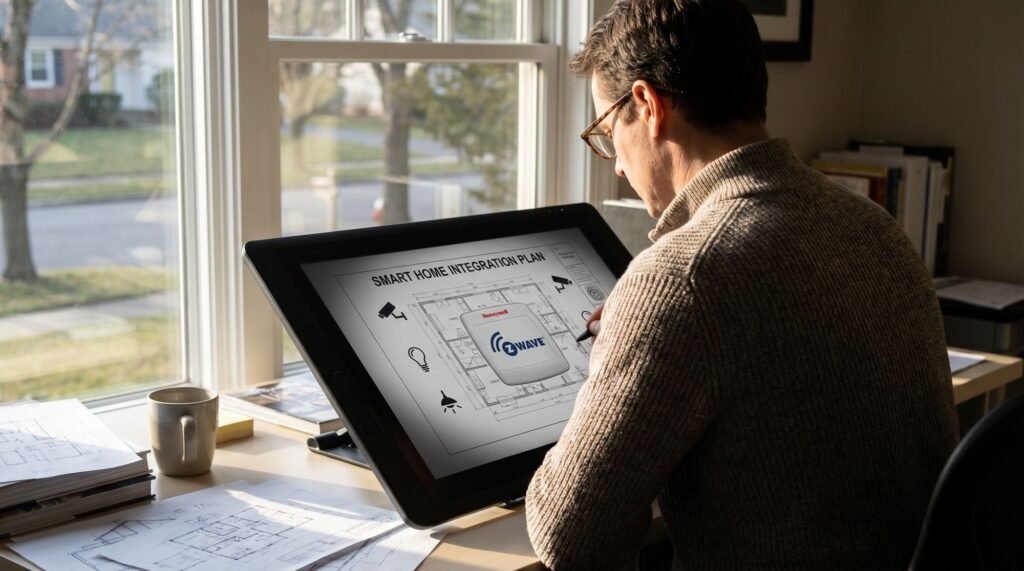
Honeywell Z-Wave Thermostat Review and Setup Guide
The Local Control Advantage: What Z-Wave Means for Your Honeywell Thermostat When your internet goes down, a cloud-dependent thermostat becomes an expensive paperweight. The Honeywell Z-Wave thermostat solves this by running on a dedicated mesh network that operates entirely independent of your internet connection. By processing automation rules directly on a local hub, it eliminates the ’round-trip’ latency of cloud servers and keeps your private usage schedules off external servers. that operates entirely independent of your internet connection — making it one of the most reliable smart home devices you can install. Z-Wave is a purpose-built wireless protocol designed specifically for smart home devices, not a variant of Wi-Fi. That distinction matters more than most homeowners realize. According to SmartHome Perfected, Z-Wave operates on 908.42 MHz in the US—a frequency well separated from the 2.4 GHz and 5 GHz bands that Wi-Fi, Bluetooth, and streaming devices fight over constantly. According to the Z-Wave Alliance, this sub-GHz frequency allows signals to pass through walls and floors more effectively than higher-frequency protocols. that Wi-Fi, Bluetooth, and streaming devices fight over constantly. This separation eliminates what’s often called bandwidth bloat — the signal congestion that builds as you add more smart devices to an already crowded Wi-Fi network. Each new Z-Wave device actually strengthens the mesh rather than straining it, since nodes relay signals between each other without touching your router. One important caveat worth understanding upfront: a compatible Z-Wave hub — such as Ring Alarm, Hubitat, or SmartThings — is required to connect the thermostat to the rest of your smart home ecosystem. The thermostat doesn’t speak directly to an app on its own. With that foundation in place, it’s worth taking a closer look at exactly what hardware powers this experience — starting with the flagship T6 Pro and its Z-Wave Plus specification. Hardware Deep Dive: The T6 Pro Z-Wave and Z-Wave Plus Standards The Honeywell T6 Pro Z-Wave thermostat (model TH6320ZW2003) isn’t just a firmware update on older hardware — it’s a genuinely upgraded device built around the Z-Wave Plus chip standard, and that distinction matters more than most buyers realize. Z-Wave Plus is the detail that separates a capable device from a great one. Z-Wave Plus is the detail that separates a capable device from a great one. According to industry standards from the Z-Wave Alliance, the Plus generation delivers a confirm 50% increase in battery life and a in range compared to standard Z-Wave chips. and a 67% increase in range compared to standard Z-Wave chips. In a wired thermostat installation that’s less critical, but for battery-backed setups or homes with thicker walls, those numbers translate directly into fewer headaches. The T6 Pro’s hardware profile reinforces that promise: SmartStart deserves a specific callout. What typically happens with older Z-Wave inclusion is a frustrating dance of button presses and timing windows. SmartStart eliminates that friction entirely — the hub pre-provisions the device before it’s even powered on. For installers managing multiple thermostats across a property, that efficiency compounds quickly. That combination of extended range, stronger battery performance, and simplified setup is precisely why security professionals gravitating toward integrated ecosystems tend to favor this hardware — a point worth exploring in more depth next. Why Security Professionals Prefer Honeywell Z-Wave Ecosystems Security professionals choose Z-Wave thermostats because reliability in a security mesh isn’t optional — it’s the entire point. As PCMag notes, “The T6 Pro Z-Wave is a great choice for those who want a reliable, no-frills smart thermostat that integrates deeply with professional security systems.” That phrase — “no-frills” — deserves more credit than it gets. In a security context, fewer moving parts mean fewer failure points. Deep ecosystem integration is what separates Z-Wave thermostats from consumer Wi-Fi devices. Platforms like Ring, Alarm.com, and Resideo ProSeries are all built around Z-Wave’s deterministic mesh networking, where each node — door sensor, motion detector, thermostat — strengthens the overall signal rather than competing for bandwidth. The T6 Pro slots directly into that architecture without configuration headaches. Contrast this with Wi-Fi-based alternatives. The Honeywell thermostat TH6220WF2006 runs on the same chassis as the T6 Pro but relies entirely on your home Wi-Fi network and a cloud app to function. For casual users, that’s fine. For a monitored security installation, a cloud dependency is a liability — app outages, router reboots, and ISP interruptions can all break the connection at exactly the wrong moment. In practice, Z-Wave mesh nodes maintain communication even when individual links drop, which is why professional installers consistently favor them. When the goal is a system that works quietly in the background without demanding attention, “no-frills” stops being a limitation and becomes the feature that earns trust. That said, choosing the right model matters — and the model numbers can be surprisingly easy to mix up. Navigating the Models: T6 Pro vs. TH6320ZW2003 vs. TH6220WF Buying the wrong T6 Pro is surprisingly easy — both the Z-Wave and Wi-Fi versions share an identical white square chassis, making the model number the only reliable way to tell them apart. The TH6320ZW2003 is the one you want for local Z-Wave automation. This is the model that runs on Z-Wave Plus technology, integrates cleanly into security hubs, and operates entirely without a cloud dependency. The TH6220WF2006, by contrast, is the Wi-Fi variant — it looks identical on the shelf but routes all commands through Resideo’s cloud servers. As noted by AlarmGrid and Resideo, this housing confusion trips up a significant number of buyers who only discover the mismatch after unboxing. Model Number Protocol Best For TH6320ZW2003 Z-Wave Plus Local automation, security hubs, no-cloud setups TH6220WF2006 Wi-Fi App-based control, Resideo cloud integration Retailers sometimes label the Z-Wave version as a “Z-Wave Programmable” thermostat rather than leading with the T6 Pro branding — which adds another layer of confusion. Before purchasing, run through this quick packaging check: Getting the right hardware off the shelf is the first step — but knowing how it physically installs into your home’s mesh network is equally important,
Honeywell Z-Wave Thermostat Review and Setup Guide Read Post »