
Is Your Shark Robot Actually Broken or Just Neglected?
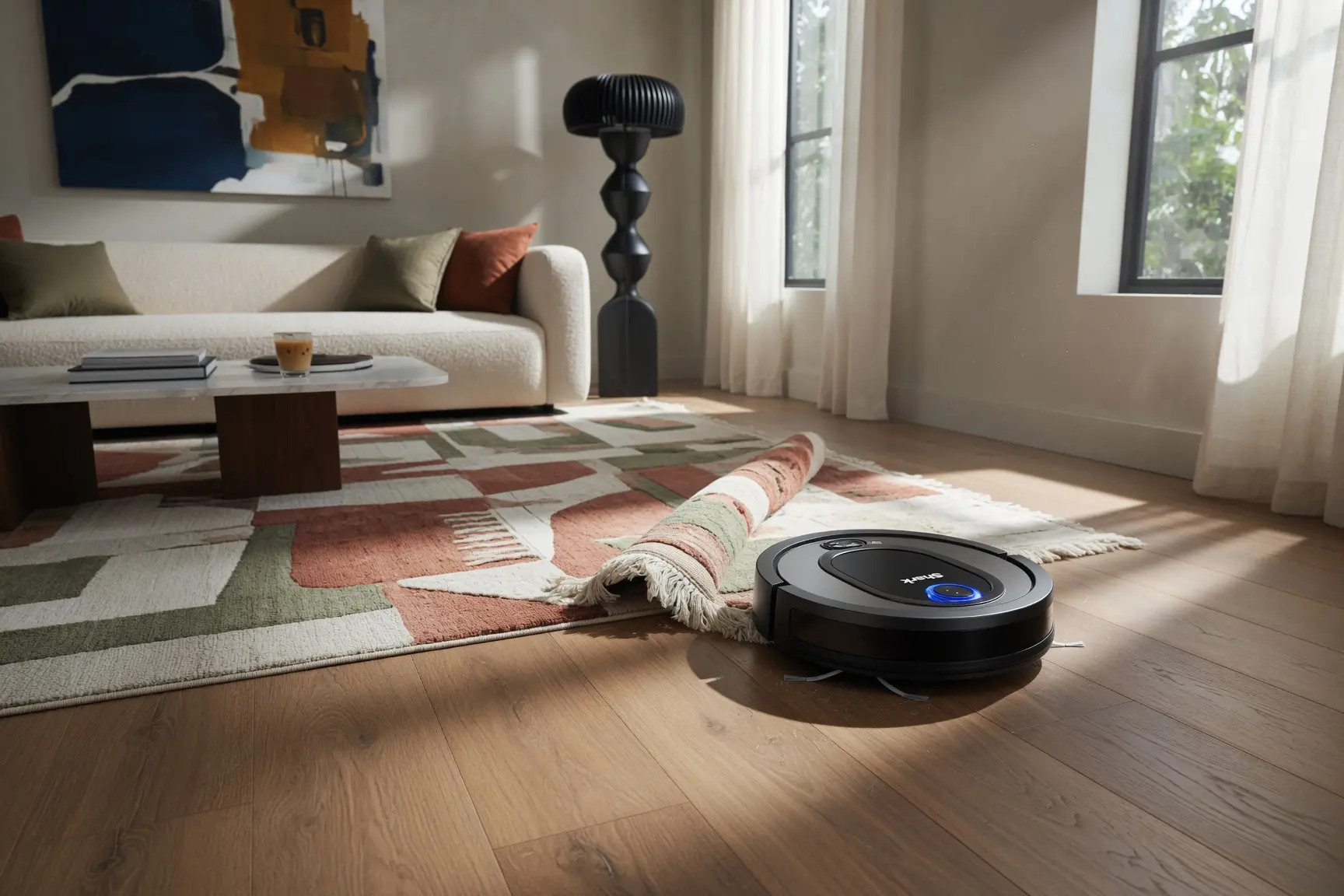
There is a specific kind of frustration that comes with watching a $300 investment turn into a glorified paperweight overnight. I’ve been there—standing over a Shark ION that’s frantically blinking red like it’s about to self-destruct, while the pet hair continues to pile up on the rug. It’s tempting to assume the motherboard has fried or the suction motor has given up the ghost, especially when the "repair" advice you find online feels like it’s written for engineers. But after years of tinkering with these units and seeing hundreds of common failure patterns, I can tell you that a "broken" robot is rarely a terminal diagnosis.
Most owners walk away from their machines far too early because they misread the signals. Whether you are dealing with a Shark Navigator that won't hold a charge or an IQ series unit that keeps wandering off its dock, the fix is usually found in the details—the hidden hair clogs, the oxidized sensors, or a simple battery calibration. In this guide, I’m breaking down the exact shark robot vacuum troubleshooting steps I use to resurrect these machines, focusing on the most common shark robot vacuum repair scenarios that actually save you from buying a replacement.
That blinking red light feels like a death sentence — but before you write off your robot vacuum, it's worth knowing that most Shark units are far more fixable than they appear.
Shark robot vacuum repair success rates tell a compelling story. According to the Open Repair Alliance, Shark vacuums have a 59.8% repair success rate, compared to just 48.7% for competing brands. That gap isn't trivial — it means when a Shark stops working, the odds genuinely favor repair over replacement.
There's a predictable pattern worth understanding: Shark units tend to hit their first major issue around the four-year mark. That timeline lines up almost exactly when a unit starts showing signs of clogged filters, worn brush rolls, or a strained motor — problems that look catastrophic but often aren't. The frustrating truth is that a large percentage of "broken" Shark robots are actually just overdue for maintenance.
Routine maintenance vs. true hardware failure is the critical distinction this article works through. A neglected dust bin or matted filter is a 10-minute fix. A failed suction motor or faulty charging dock is a different problem entirely. This guide covers both — starting with the Shark ION and Navigator series, which produce some of the most misread error codes on the market. Understanding what those red lights are actually signaling is where the real diagnosis begins.
Decoding the Red Lights: Identifying Suction Motor Failure
A specific combination of error lights on your Shark robot almost always points to one culprit: the suction motor is either straining or has failed outright.
The critical light code to recognize: a solid red 'CLEAN' indicator paired with a flashing red '!' or 'DOCK' light signals suction motor failure, according to CheckAppliance. This isn't a connectivity glitch or a navigation error — it's the unit telling you airflow has been severely compromised or the motor itself has given out.
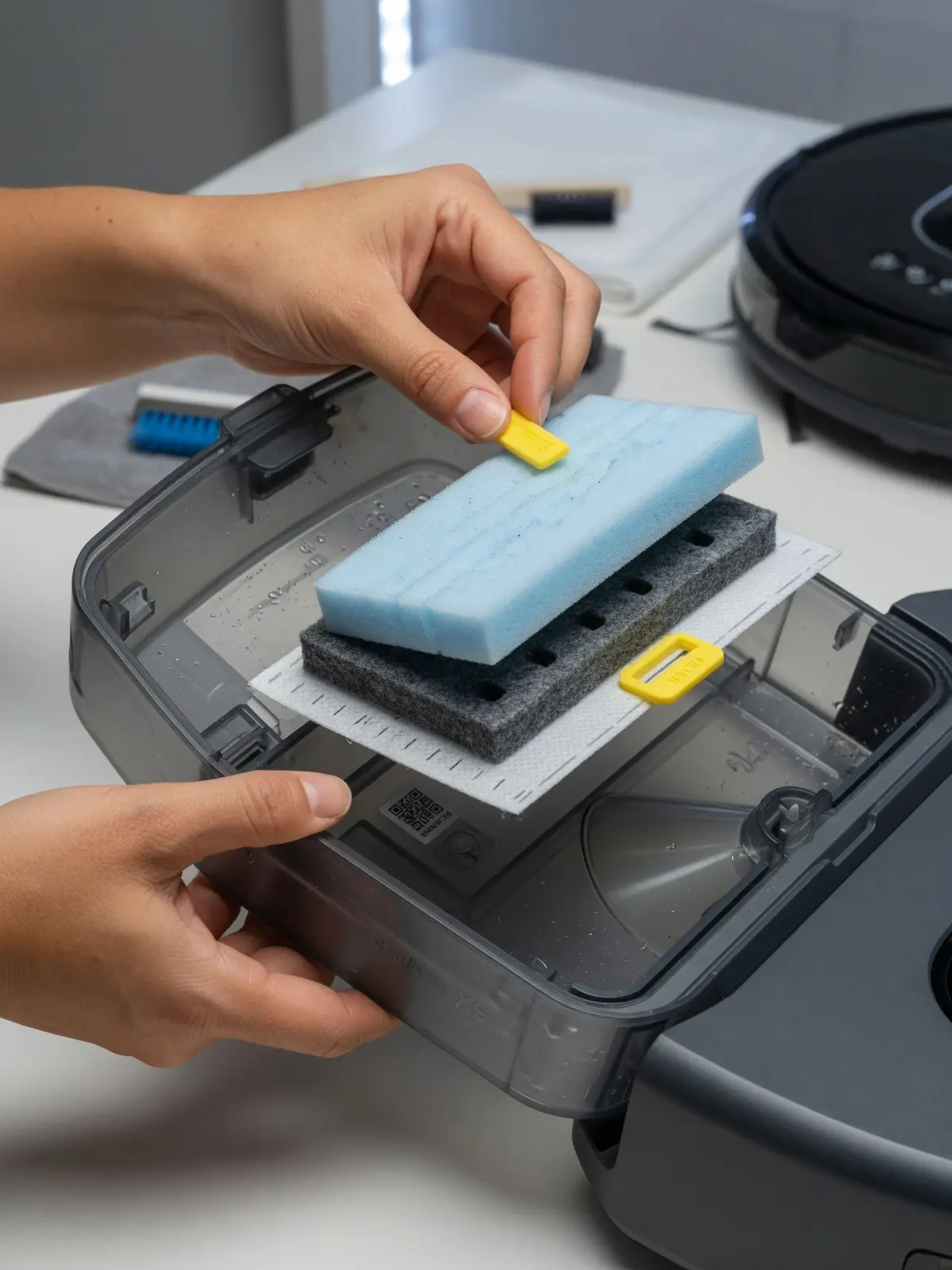
Filter neglect is the most common reason motors reach that point. When foam, felt, and HEPA filters in Shark vacuums get clogged, the motor works harder to pull air through the restricted pathway. Over time, that sustained strain causes premature wear. As noted by Darren at Homes & Gardens, foam and felt filters should be cleaned every three months and replaced annually, while HEPA filters need replacing every year. Skip that schedule, and you're essentially running your motor at full throttle with the brakes on.
Before assuming the motor is dead, run through this sequence:
- Dust bin: Empty it completely and rinse if permitted by your model.
- Brush roll door: Open it and clear any hair or debris wrapped around the roll.
- Filter airflow: Remove every filter layer, tap out debris, and hold each one up to light to check for blockages.
If you complete all three steps, reinstall clean filters, and the same red light combination returns within minutes of operation, the motor itself is likely the problem. At that stage, cleaning won't help — you're looking at either a motor replacement or evaluating whether the repair cost makes more sense than a new unit. That decision often comes up alongside questions about a Shark robot vacuum battery replacement, since aging units frequently need multiple components addressed at once. Speaking of which, the battery system deserves its own close look — and it can produce surprisingly similar symptoms.
The Battery Bottleneck: Why Your Shark Isn't Charging
A Shark robot vacuum not charging is one of the most misdiagnosed problems owners face — and the fix is often far simpler than buying a new unit.
Before assuming the battery is dead, run through this Power Check to isolate the actual fault:
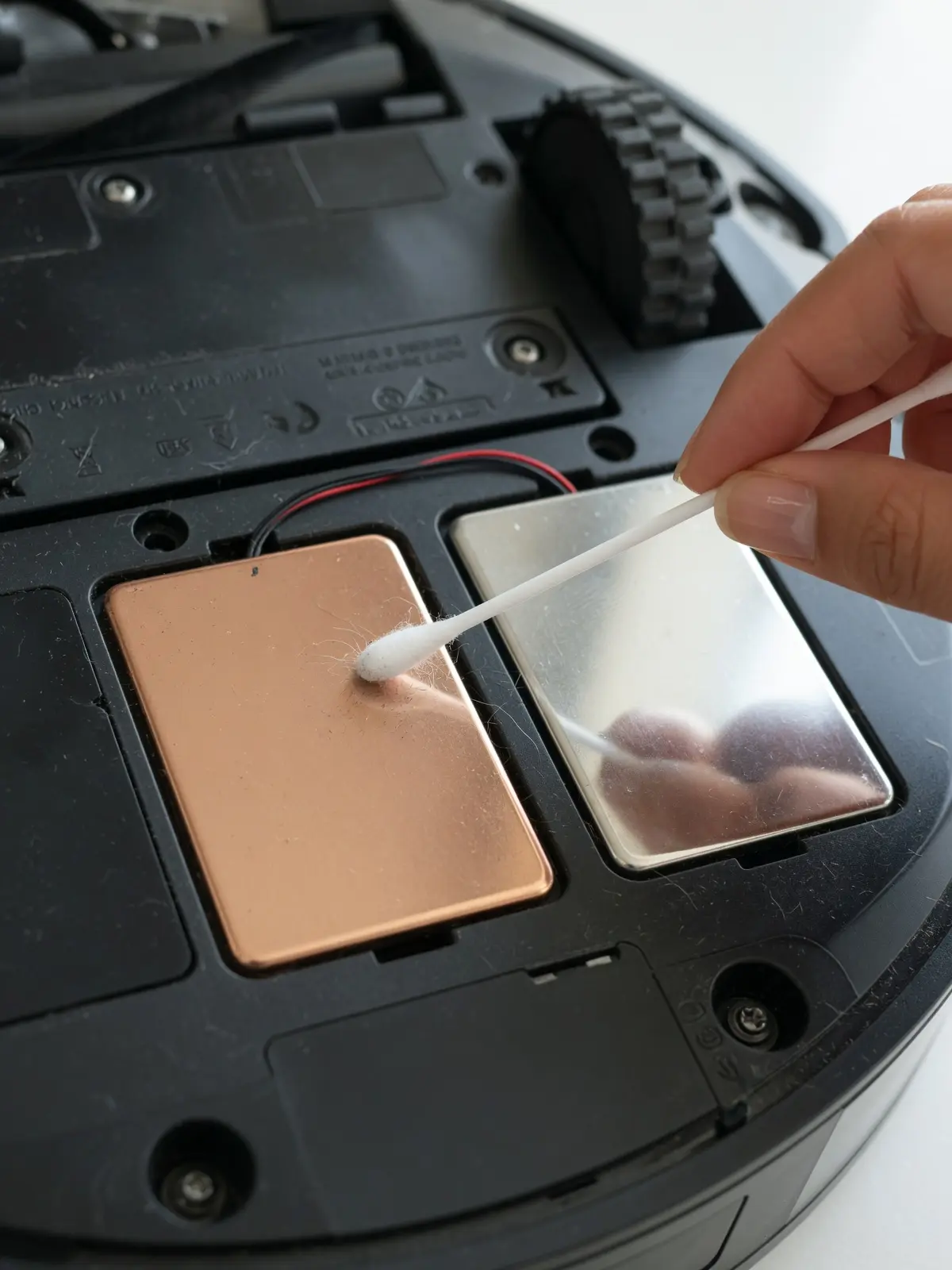
- Inspect the charging contacts. Flip the robot over and examine the two metal contact points on the underside, then check the corresponding pins on the dock. A thin film of dust or oxidation is enough to break the circuit entirely. Wipe both surfaces with a cotton swab dampened in isopropyl alcohol and let them dry completely before re-docking.
- Test the dock with a known-good outlet. Plug the dock into a different wall outlet and confirm the dock indicator light activates. A faulty outlet or a tripped circuit breaker is a surprisingly common culprit.
- Observe the run time pattern. If your robot runs for less than 20–30 minutes before dying — or repeatedly misses the dock during auto-return — that points to a degraded battery cell rather than a contact issue.
⚠️ Warning: Avoid third-party replacement batteries unless they are explicitly rated for your Shark model. Undersized cells can cause erratic charging cycles and, in rare cases, overheat the unit. Shark's rapid growth, noted by [Market.us](http://Market.us), has unfortunately created a flood of low-quality replacement parts marketed to its large user base. Stick to OEM-spec batteries when possible, and cross-reference your model number before purchasing.
Battery replacement itself is straightforward on most ION and IQ series units: remove the bottom panel screws, disconnect the old battery harness, and seat the new pack firmly before reassembling. The Shark IQ troubleshooting guide recommends a full 24-hour charge cycle after any battery swap to allow the management system to calibrate correctly. That calibration detail matters more than most owners realize — skipping it often produces misleading charge indicators for weeks afterward. If charging issues persist even after a verified battery replacement, the problem may lie deeper in the hardware, which is exactly where the Navigator and IQ series introduce their own specific quirks.
Repairing Your Shark Navigator and IQ Series Hardware
Shark's rapid growth — jumping from 4% to 18% North American market share in just three years, according to [Market.us](http://Market.us) — means more Navigator and IQ units are in homes than ever before, and Shark robot vacuum troubleshooting needs for these specific models have grown just as fast.
The Navigator and IQ series share a chassis philosophy but fail in very different ways. Understanding which model you're working with saves time and prevents misdiagnosed repairs.
Navigator series mechanical failures tend to cluster around two areas: side brush motor stalls and wheel jam errors. A side brush motor stall usually announces itself with a flashing indicator and an audible grinding noise before the unit stops. The fix is almost always debris packed tightly around the brush axle — hair, string, and carpet fibers are the primary culprits. Wheel jam errors follow a similar pattern; small debris lodges in the wheel well housing and triggers the sensor before causing any real damage. One practical approach is to clear both wheel wells completely before assuming the drive motor itself has failed.
Brush roll door seal integrity is an overlooked Navigator failure point. A warped or dislodged seal between the brush roll compartment and the floor plate creates a suction leak that no amount of filter cleaning will resolve. If suction feels weak despite a clean filter, press firmly along the seal's perimeter and listen for airflow escaping — that's your diagnosis.
The IQ series introduces a firmware dependency that Navigator owners never encounter. After any hardware change — replacing the brush roll, swapping a wheel module, or cleaning internal sensors — the IQ unit often needs a firmware reset before it recognizes the change and resumes normal operation. Skipping this step causes persistent error codes that appear to point to the replaced component. The RV1000 Series Shark IQ Troubleshooting Guide outlines the exact reset sequence for this model family.
Knowing where each model is most vulnerable brings up an important question: which repairs are worth attempting yourself, and when does a professional make more financial sense?
DIY vs. Professional Repair: When to Call the Experts
Deciding whether to open your Shark robot vacuum yourself or hand it off to a pro comes down to three things: your tool confidence, the repair's complexity, and honest math.
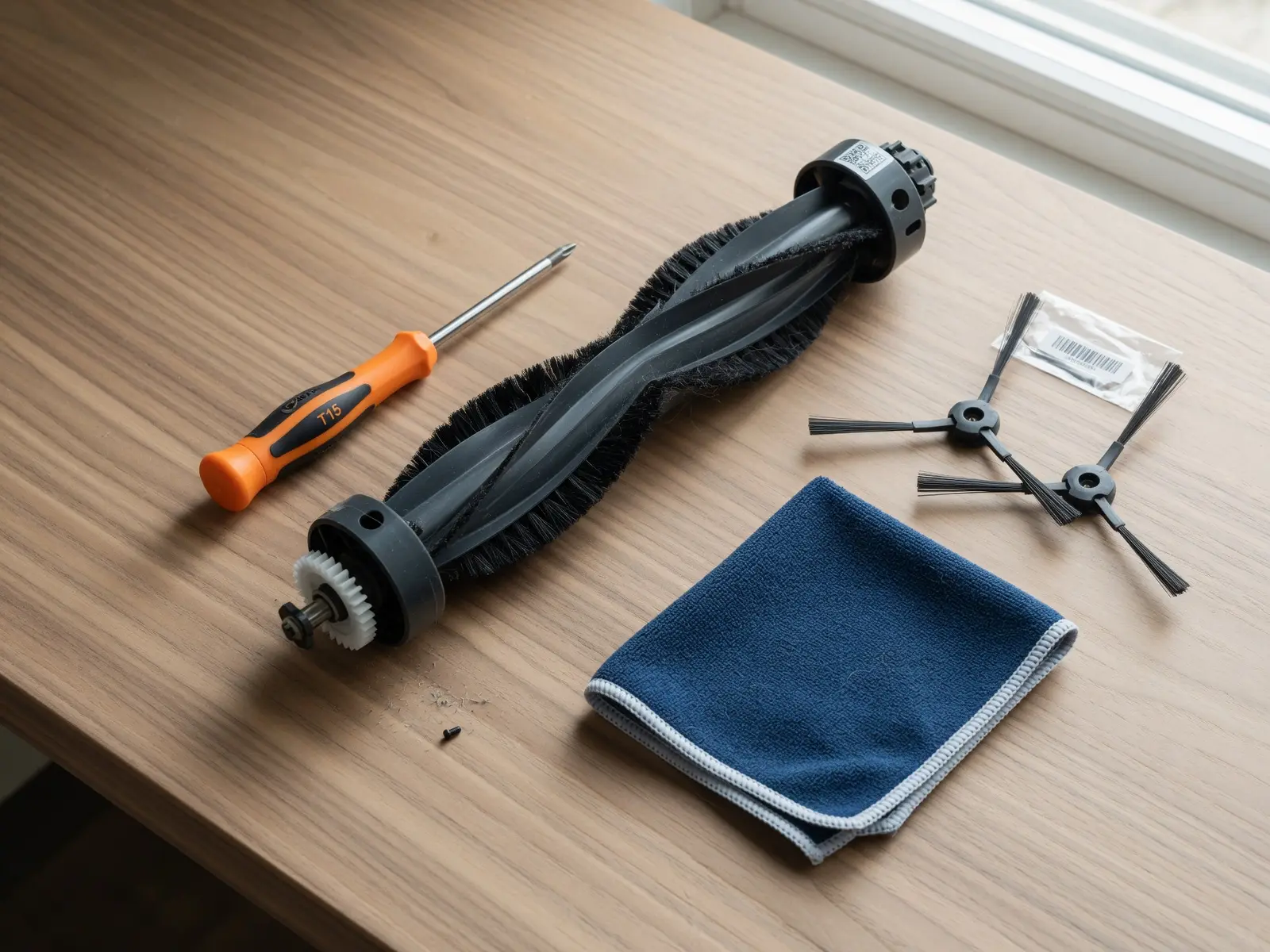
The modularity question matters here. Shark's Right to Repair positioning is quietly favorable — most models use modular brush roll assemblies, snap-fit dustbins, and standardized screw patterns. For Shark ION robot vacuum repair, the main barrier isn't parts availability; it's knowing which screws to remove first. Basic DIY requires a T10 or T15 Torx driver and a set of plastic pry tools to avoid cracking the housing. With those two items, most brush roll, wheel module, and filter housing jobs are within reach for a patient beginner. Resources like iFixit's Shark teardown guides and step-by-step YouTube walkthroughs lower the learning curve significantly.
Professional repair is a different calculation. Localized demand is highest in Sun Belt cities — Yelp data points to Phoenix, Denver, and Salt Lake City as markets with the strongest vacuum repair shop density. Labor typically runs $60–$120 per visit. Against a $300 replacement unit, that only makes sense when the fault is genuinely complex — motherboard-level failure, broken wheel gear trains, or water damage.
| Factor | DIY | Professional |
|---|---|---|
| Risk Level | Medium (voided warranty possible) | Low |
| Estimated Cost | $0–$40 (parts only) | $60–$120 (labor + parts) |
| Best For | Brushrolls, batteries, filters, wheels | PCB faults, motor replacement, water damage |
| Time | 30–90 minutes | 2–5 business days |
One practical rule: if the repair cost exceeds 40% of a new unit's price, replacement wins on value. For everything below that threshold, DIY is almost always the smarter move — and the next section breaks down exactly which faults fall into which category.
The Bottom Line: Shark Repair Essentials
Shark robot vacuums are among the most repairable consumer floor-care devices on the market — and knowing a few core principles can save you from an unnecessary $300 purchase.
According to the Open Repair Alliance, Shark posts an 11% higher repair success rate than its closest competitor, translating to roughly a 60% overall fix rate across reported repair attempts. That stat matters because it means the odds are genuinely in your favor before you ever consider replacing a unit.
Most "dead" motors aren't dead at all — they're starved of airflow. A clogged filter forces the motor to overheat and trigger thermal cutoff, which looks identical to motor failure. Clearing the filter is always the first diagnostic step when repairing your Shark Navigator robot or any IQ-series model.
Beyond airflow, four principles cover the majority of Shark repair scenarios:
- Battery degradation is the single most effective fix for any unit older than three years — capacity loss masquerades as software faults, docking failures, and mid-run shutdowns
- Error light codes are diagnostic shortcuts; consulting the Shark IQ troubleshooting guide before assuming motherboard failure saves both time and money
- Airflow restoration resolves a surprising share of motor-related complaints without any part replacement
- Brush roll jams remain the leading cause of drive belt and motor stress across the entire Shark lineup
Reacting to a fault light with a replacement purchase is almost always premature. Of course, fixing a problem once is only half the equation — keeping it from recurring is where a consistent maintenance routine earns its value.
Future-Proofing Your Shark: A Maintenance Schedule
The best Shark robot vacuum repair is the one you never have to make — and a simple recurring schedule is all it takes to stay ahead of the most common failures.
Consistent upkeep is the single most effective way to extend your robot vacuum's lifespan. Three intervals cover almost every preventable breakdown:
- Weekly: Clear the brush roll of hair and debris. Tangled fibers are the leading cause of drive belt stress and premature motor wear — a 60-second check pays dividends.
- Monthly: Wipe down the cliff sensors and charging contacts with a dry microfiber cloth. Dirty sensors trigger endless docking loops and false drop-detection errors that look like hardware failures but aren't.
- Every 3 months: Wash or replace the felt and foam filters. As Homes & Gardens notes, regularly washing or replacing these components prevents the vacuum from automatically shutting off due to safety precautions — meaning neglected filters are often the hidden culprit behind mystery shutdowns.
| Task | Frequency | Why It Matters |
|---|---|---|
| Clear brush roll | Weekly | Protects drive belt and motor |
| Clean sensors & contacts | Monthly | Prevents cliff errors and dock failures |
| Wash/replace filters | Every 3 months | Stops thermal shutdowns |
Shark robot vacuums are genuinely repairable machines — parts are accessible, community guides are plentiful, and most faults trace back to maintenance gaps rather than dead hardware. Before you consider replacing a unit, run through this schedule once. Choosing repair over landfill saves money, reduces waste, and usually takes less than an afternoon.
Finalizing the Fix: A Personal Perspective
Looking back at the dozens of Shark units I’ve serviced, the most rewarding part isn’t just saving the money—it’s the realization that these machines are actually designed to be maintained. When I finished my first shark ion robot vacuum repair, I expected it to be a nightmare of proprietary screws and glued-together components. Instead, I found a modular system that rewards a little bit of patience and a T15 Torx driver. Hearing that startup chime after a successful repair feels significantly better than unboxing a brand-new unit that’s just going to face the same maintenance hurdles in three years anyway.
As you move forward, remember my "40% rule": if the parts cost more than 40% of a new vacuum, it might be time to upgrade. But for everything else—the tired batteries, the clogged filters, and the jammed wheels—you have the tools and the knowledge to handle it yourself. Don't be afraid to get your hands a little dusty; your floors (and your wallet) will thank you for it.