
The Gap Between Marketing Specs and Your Front Porch
Ring doorbell battery charge ratings look reassuring on paper — but for millions of homeowners, the reality at the front door tells a very different story.
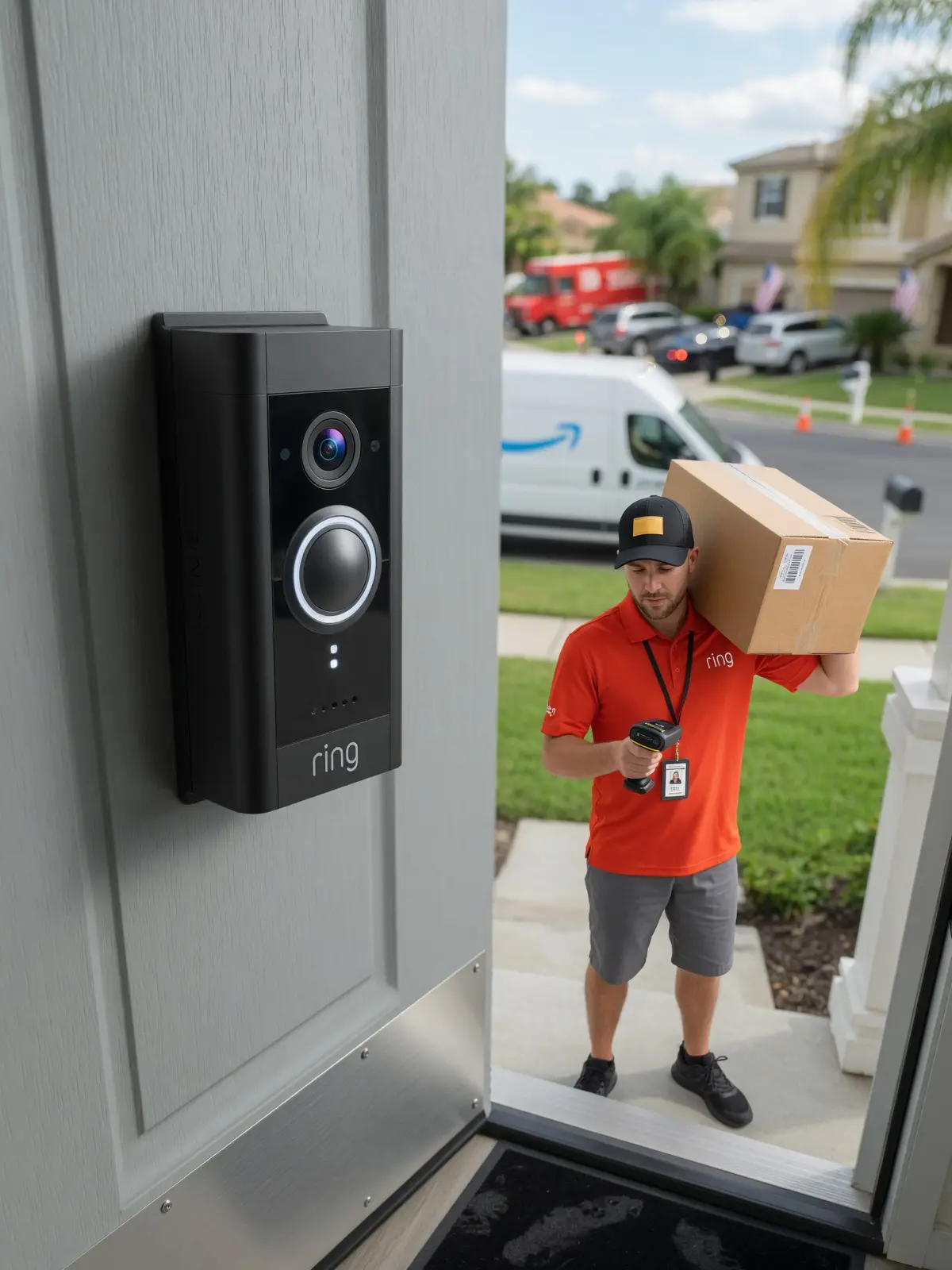
Ring rates its doorbell batteries to last between 6 and 12 months on a single charge under "standard" usage conditions. That sounds reasonable. The problem is that "standard" usage is a carefully defined benchmark that rarely matches what actually happens on a busy residential street or an active family home.
"If your house is on a high-traffic street, don't believe the 'six months on a charge' promise. Plan for a top-up every month or so." — a security expert
What drains a lithium-ion cell faster than most homeowners expect is the combination of frequent motion alerts and Live View sessions. Every time your doorbell detects movement — a passing car, a delivery driver, a neighbor walking a dog — it wakes from sleep, processes video, and transmits data. Each of those micro-events pulls from the battery reserve. In practice, users in busy environments report recharge cycles closer to every one to three months, not six.
Understanding why that gap exists between the spec sheet and your front porch requires a closer look at how newer models like the 2nd Gen and Battery Doorbell Plus handle their increased processing demands — and what that means for your charging routine.
Decoding the 2nd Gen and Battery Doorbell Plus Power Needs
Newer Ring models pack genuinely impressive features — but those upgrades come with a real, measurable cost to battery life that the spec sheets don't emphasize.
The more powerful the hardware, the faster the battery drains. According to Ring.com, the newest 2nd Gen models now offer 2K resolution and 6x enhanced zoom. That extra visual fidelity isn't free — every motion event triggers heavier on-device processing to handle the higher pixel count and zoom calculations, pulling more current from the battery each time someone walks past your door. On a busy street, those small draws add up fast.
The Battery Doorbell Plus pushes this further with its Head-to-Toe video format, which expands the active sensor area during every single recording. Where earlier models captured a narrower frame, the Plus is continuously working a taller field of view, meaning more image data to process per event. As Ring's product listing confirms, this head-to-toe capture is a defining feature of the Plus — but it also means the camera is doing more work, even for routine motion triggers.
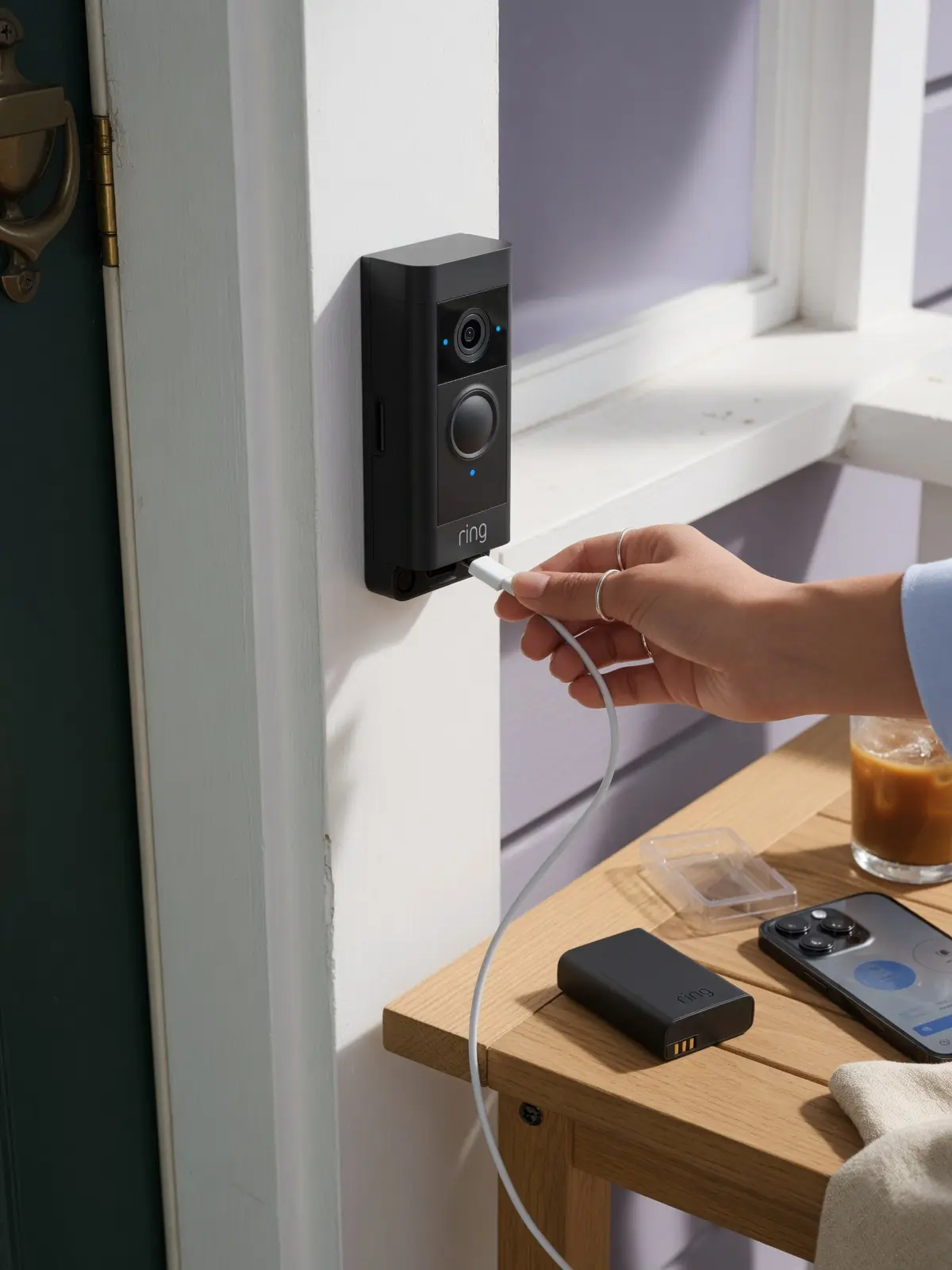
Charging port type matters too. Newer iterations have shifted to USB-C, which supports faster charging speeds when paired with a compatible ring doorbell battery charger. However, the port upgrade only helps if you're using the right wall adapter — important to note before you assume a slow charge is a failing battery. Speaking of charging behavior, the why behind slow or incomplete charges goes deeper than just the cable — and that's exactly where the science of lithium-ion batteries comes in.
| Model | Key Power-Hungry Feature | Charging Port Type |
|---|---|---|
| Battery Doorbell (2nd Gen) | 2K resolution + 6x zoom | USB-C |
| Battery Doorbell Plus | Head-to-Toe video capture | USB-C |
| Battery Doorbell (Original) | 1080p standard video | Micro-USB |
The Science of the Charge: Why Your Battery Won't Fill Up
Ring doorbell battery charging is more finicky than the simple "plug it in and walk away" process most homeowners expect — and two technical factors are responsible for the majority of frustrating, incomplete charges.
Lithium-ion batteries have a hard stop at 32°F (0°C): they simply will not accept a charge below freezing. This isn't a Ring quirk — it's a fundamental characteristic of lithium-ion chemistry. Forcing current into a cold cell causes metallic lithium plating on the anode, which permanently degrades capacity. If your doorbell spent a January night in sub-freezing temperatures, pulling it off the mount and plugging it straight in won't accomplish anything. The battery needs to warm to room temperature first — typically 30 to 60 minutes indoors — before it will begin accepting a charge at all.
Pro Tip: In winter, bring the battery inside and let it sit near a heat vent for an hour before connecting the cable. Skipping this step is one of the most common reasons homeowners assume their battery pack has failed when it hasn't.
Your power source matters just as much as temperature. According to Ring, a wall adapter delivers a full charge in roughly five hours, while a computer's USB port can stretch that to ten hours or more. Lower amperage from a PC port means slower energy transfer — straightforward physics with a real-world cost.
Finally, it's worth distinguishing a charging issue from a failing battery pack. A battery that charges slowly but holds its charge is a power-source problem. One that drains within days despite a full charge, or that shows inconsistent LED behavior mid-cycle, is more likely degraded from age or repeated deep discharge. That distinction matters before you replace anything — and knowing how to read those LED signals during a charge cycle is exactly where to look next.
Step-by-Step: How to Change and Charge Like a Pro
Getting the most from any battery-powered smart doorbell starts long before you plug in the charging cable — the physical removal and reinstallation process has more failure points than most owners realize.
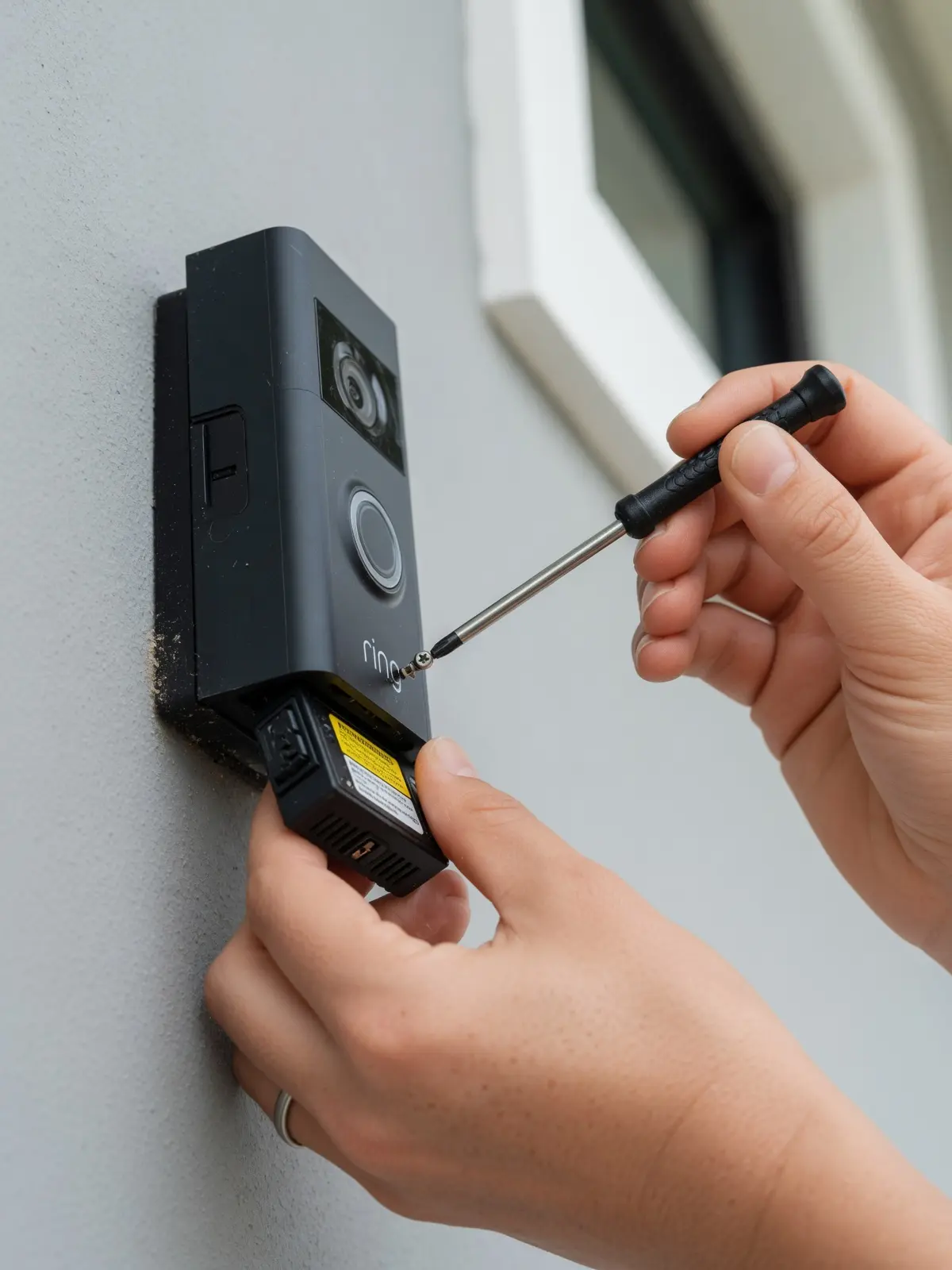
Start with the security screw. On the underside of the faceplate, there's a small star-shaped (T6 Torx) security screw. Remove it completely before attempting to pull the faceplate away. Forcing the plate without doing this first is one of the most common causes of cracked housings.
Once the faceplate is off, the battery removal process depends on your specific model:
- Locate the security screw on the bottom edge using the included Torx screwdriver.
- Slide the faceplate upward and away from the mounting bracket — it should release cleanly with light pressure.
- Press the Quick-Release tab (available on Video Doorbells 2, 3, 4, and Battery Doorbell Plus) to eject the battery pack cleanly. Note: 2nd Gen devices use an integrated battery that charges in place via a port on the back of the unit.
- Seat the cable fully. Whether your model uses micro-USB or USB-C, an incomplete connection is the single biggest reason a battery appears to charge but arrives at only 50–60%.
LED light patterns tell you exactly what's happening: a rapidly flashing light means charging is actively in progress, while a solid light confirms the battery has reached a full charge. If you see no light at all, reseat the cable — the connection almost certainly isn't fully engaged.
Once you've nailed the physical process, the next leverage point is inside the app itself — and the settings changes covered in the next section can have an even bigger impact on how long that freshly charged battery actually lasts.
Optimizing Settings to Double Your Battery Life
The biggest drain on your Ring doorbell isn't the battery itself — it's the default settings that were never optimized for your specific environment.
According to Ring, real-world battery life drops to just 1–3 months in high-traffic scenarios, a far cry from the 6–12 months advertised. The good news is that a few targeted adjustments can dramatically extend how long your battery lasts between charges.
Here are the key settings worth revisiting in your Ring app:
- Motion Zones: Draw your detection zone to exclude busy sidewalks, streets, or neighboring driveways. Every unnecessary trigger is a small but cumulative battery hit — eliminating ghost alerts alone can add weeks of runtime.
- Motion Sensitivity + People Only Mode: Lowering sensitivity reduces false alerts from shadows, animals, or passing cars. Enabling "People Only" mode filters detections to human movement, which significantly cuts trigger frequency on active streets.
- Pre-Roll and Live View: Pre-Roll records a few seconds before motion is detected, requiring the camera to stay in a low-power listening state continuously. Disabling it — along with reducing how often you manually open Live View — noticeably extends how long the ring doorbell charges stay relevant.
- Snapshot Capture and Power Schedules: Snapshot Capture takes periodic still images throughout the day, quietly draining power. Setting a "Power Schedule" lets you hibernate the device during predictable low-risk hours, like 2–5 AM, preserving battery for when coverage actually matters.
These software-side changes won't replace good hardware habits, but they're the fastest way to reclaim weeks of battery life — which makes the physical charging routine covered next far more manageable.
The Bottom Line: Managing Your Ring Power Strategy
How long does Ring doorbell battery last in a real household? Closer to 1–3 months — not the 6–12 months often advertised for low-traffic environments.
Understanding that gap is the foundation of a smarter power strategy. Once you accept that an active front door will drain a battery faster than any spec sheet suggests, the decisions that follow become much clearer.
Here's what a practical Ring power routine looks like, distilled from everything covered above:
- Bring batteries inside first. In winter, always let a cold battery reach room temperature before charging — cold cells charge inefficiently and degrade faster.
- Use a dedicated wall charger. A purpose-built charger cuts charging time roughly in half — around 5 hours versus the 10+ hours a low-output USB port delivers.
- Match your charging method to your model. The 2nd Gen (Newest Model) requires a different charging approach than Quick-Release battery models, so confirm your version before assuming a process from an older YouTube walkthrough applies.
- Keep a spare battery on hand. Keeping a 2-pack of replacement batteries allows for zero-downtime swaps — your doorbell stays live while the depleted battery charges indoors.
A spare battery is essential — it's the simplest way to eliminate any security gap. With your charging routine dialed in and settings already optimized from the previous section, the only remaining question is whether routine battery management is the right long-term approach at all — or whether a more permanent power solution makes more sense for your home.
Beyond the Battery: Is it Time for a Permanent Solution?
Managing Ring doorbell battery life doesn't have to mean constant recharging — the right hardware upgrades can shift the entire equation in your favor.
The most sustainable fix isn't a setting change; it's rethinking your power setup entirely. For homeowners tired of the recharge cycle, three options are worth considering, each suited to a different situation.
- Solar charger mounts are the lowest-effort upgrade. According to Ring and Best Buy, solar chargers provide a consistent trickle charge that significantly extends the time between manual USB charges — making them especially effective in sunnier climates where panels receive reliable daily exposure.
- Hardwiring your battery doorbell is worth evaluating if your home already has existing doorbell wiring. Many Ring models, including the newest battery doorbell model, 2nd Gen, support a wired connection that keeps the battery topped off continuously, effectively eliminating the recharge problem.
- A 2-pack battery strategy solves the downtime problem without any rewiring. Keep one battery charged and swap it in seconds — your doorbell stays live while the spare charges indoors.
Smart home maintenance feels complicated until you build the right routine around it. Whether that means scheduling a quarterly battery swap, installing a solar mount, or finally making the switch to hardwired power, the goal is the same: consistent protection without the friction. The right setup — matched to your traffic volume and environment — is what makes security feel effortless rather than exhausting.
Conclusion: Mastering Your Ring Power Strategy
Ultimately, mastering your ring camera battery charging routine is about moving from a reactive mindset to a proactive strategy. In my experience, the most successful setups don't rely on a single 'perfect' setting, but a combination of hardware and software tweaks. I’ve found that even with the most aggressive optimization, a high-traffic home will still need a ring doorbell battery charger every 8–10 weeks. My professional recommendation is to stop chasing the elusive 6-month mark and instead invest in a $30 spare battery; it’s the only way to ensure 100% uptime while you wait for your main pack to reach a full charge indoors.
If you're still struggling with frequent drains on the battery doorbell newest model 2nd gen, it might be time to look at a permanent power solution like hardwiring or a solar mount. These upgrades have saved me countless trips up the ladder and provided the peace of mind that my security isn't dependent on a chemical reaction in the freezing cold. Smart security should work for you, not give you another chore on your weekend to-do list. Use the settings we've discussed, keep that spare battery ready, and you'll finally have a doorbell that's as reliable as the marketing promised.
Conclusion: My Final Take on the 6-Month Myth
After years of managing multiple Ring devices across different properties, my expertise has led me to one firm conclusion: the "6-month battery life" is a laboratory benchmark, not a residential reality. In my own home, situated on a moderately active street, I’ve never seen a unit last longer than 75 days without a ring doorbell battery charge. This isn't a failure of the technology, but rather a testament to how hard these devices work to keep us secure. When you prioritize high-resolution video and frequent snapshots, you are consciously trading battery longevity for better security data—a trade I personally make every single time.
To master your ring doorbell charges, you have to move past the "set it and forget it" mindset. I recommend every user keep a ring doorbell battery charger and a spare pack ready to go. By treating your battery powered smart doorbell as a high-performance tool that requires regular maintenance rather than a passive appliance, you eliminate the "dead doorbell" anxiety. Optimized settings and a proactive charging schedule aren't just technical tweaks; they are the best ways to ensure your battery doorbell newest model 2nd gen actually performs when a package arrives or an unexpected visitor rings.