
The Real Reason Your Smart Lock Installation Fails (And How to Fix It)
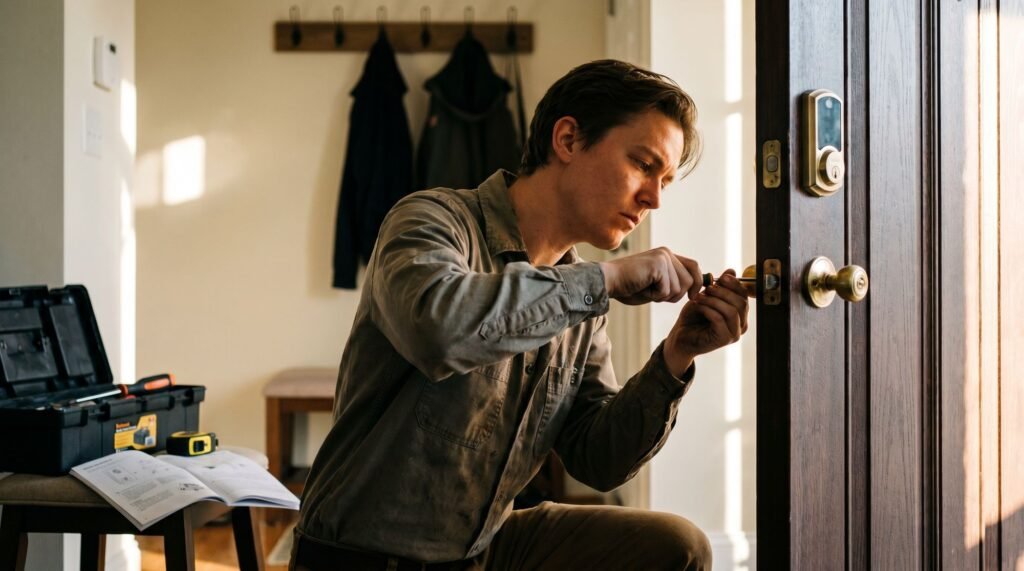
The DIY Reality of Smart Lock Upgrades There is a specific, sinking feeling that comes with hearing your brand-new smart lock emit a series of frantic “error” beeps just three weeks after you installed it. I’ve stood on my own porch at 11 PM, groceries in hand, watching a “low battery” LED flash on a device that was supposed to make my life easier. Most homeowners assume they bought a lemon or that the app is glitching, but after troubleshooting dozens of smart lock installation failures, I’ve realized the culprit is almost never the software. It’s the physical friction you ignored during the initial setup. In my experience, the gap between a flawless yale lock installation and a total mechanical meltdown is about a sixteenth of an inch. If your door requires a hip-shoulder nudge to lock manually, your smart lock motor is essentially running a marathon every time you leave the house. This guide isn’t just about how to install a smart lock; it’s about mastering the mechanical alignment that prevents your expensive tech from grinding itself into an early grave. Smart lock installation is far more accessible than most homeowners expect — and the numbers back that up. According to Statista, 64% of smart lock owners installed their devices themselves without professional help. That’s not a fluke. It reflects a simple truth: replacing a traditional deadbolt with a smart lock is primarily a hardware swap, not an electrical project. Most smart locks are engineered to fit the standard 2 1/8 inch borehole already drilled in your door, which means the existing cutout in millions of American homes is ready to accept a new device without any additional drilling or modification. What you’re really doing is swapping out the interior and exterior hardware, connecting a mounting plate, and syncing the device to an app. According to CNET, the average installation takes just 15 to 30 minutes with a standard Phillips-head screwdriver. However, finishing fast doesn’t mean finishing right. The most overlooked threat to any smart lock — and the one that causes the most long-term failures — is motor strain. When a lock’s bolt doesn’t retract and extend smoothly, the motor works harder than it’s designed to, draining the battery and eventually burning out the mechanism entirely. Misalignment, a sticky deadbolt, or a mismatched backset are usually the culprits. That’s why preparation matters more than speed. Before unboxing anything, there are a few critical checks that separate a five-year lock from one that fails in five months. Preparation: Beyond the Screwdriver Knowing how to install a smart lock correctly starts well before you open the box — the prep work you do in the next 20 minutes determines whether the job takes an hour or an afternoon. Before unboxing anything, measure your door. Most smart locks are designed to fit standard boreholes measuring 2⅛ inches in diameter, according to CNET, but door thickness and backset distance vary. The backset — the measurement from the door’s edge to the center of the borehole — is typically either 2⅜ inches or 2¾ inches. Confirm yours before assuming compatibility. Here’s a quick pre-installation checklist to run through: ⚠ Warning: If your existing deadbolt feels stiff or catches during manual operation, do not proceed. A smart lock motor amplifies door-frame friction — it doesn’t fix it. Address the underlying alignment issue first. That stiffness matters more than most people realize, and it connects directly to something worth examining closely before you ever drive a single screw. The Critical Step: Achieving Perfect Deadbolt Alignment Misaligned deadbolt components are the single most common reason a smart lock installation fails — and the damage shows up on your battery indicator long before you notice anything else. As CNET notes, “the most common mistake during installation is failing to align the deadbolt latch properly, which causes the motor to jam and drains the battery faster.” What feels like a minor friction issue forces the motor to work harder on every lock and unlock cycle, cutting battery life from months down to weeks. For homeowners already weighing smart lock installation cost against long-term convenience, unexpected battery replacement adds an irritating hidden expense. The latch itself is your starting point. Run the “frictionless test” before securing any hardware: extend the deadbolt manually and watch for resistance. The bolt should slide fully in and out with zero friction. Any drag at all signals a problem — usually a strike plate that isn’t centered on the bolt path. The strike plate is where most alignment failures live. Weatherstripping pressure shifts the door inward slightly, which means the strike plate position that looks correct with the door open may be off by a noticeable margin once the door is closed. Loosen the strike plate screws, close the door, and use the bolt’s imprint on the jamb as your true reference point before re-securing. The motor tells you when something’s wrong. A struggling motor produces a labored, grinding sound during operation rather than a clean mechanical click. If the lock hesitates mid-cycle or reverses unexpectedly, the door frame is likely the obstacle — not a software glitch. Fixing the physical alignment almost always resolves these symptoms before you ever need to troubleshoot the electronics. Once alignment is solid, the next question worth asking is whether your lock is physically strong enough to back up its convenience — which leads directly into understanding security ratings. Security Grading: Don’t Trade Strength for Convenience Choosing where to install a keyless door lock means nothing if the lock itself can’t withstand a physical attack — and ANSI security grades are the clearest way to measure that. The American National Standards Institute (ANSI) rates residential locks on a three-tier scale. Grade 1 is the highest, designed for commercial use and built to endure 250,000 cycles plus a 10-strike kick-in test. Grade 2 covers standard residential duty, while Grade 3 represents the lowest threshold — often found in budget hardware that prioritizes price over protection. Here’s the critical
The Real Reason Your Smart Lock Installation Fails (And How to Fix It) Read Post »