
Smart Home Installation: Why Most Setups Fail
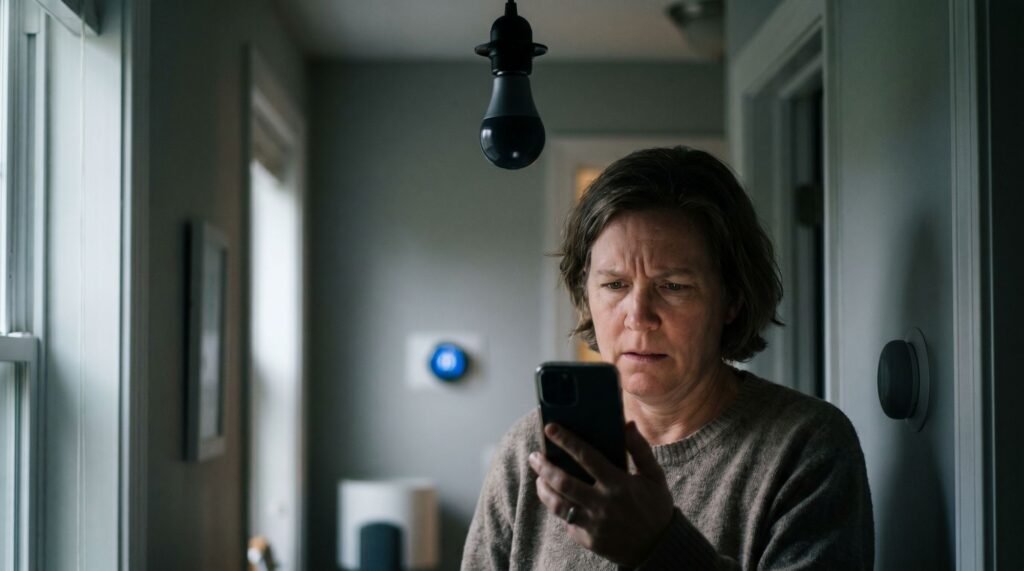
Why Most Smart Home Installations Stall at the Network Level I’ve been in the middle of that “smart home” nightmare more times than I care to admit—standing in a dark hallway, frantically tapping a phone screen while a $50 smart bulb refuses to acknowledge my existence. It usually happens at the worst time: you’re heading to bed or rushing out the door, and suddenly the “Away” scene hangs, leaving your front door unlocked and your kitchen lights blazing. Most homeowners start by swearing at the hardware or the app, feeling the sting of a “high-tech” investment that feels more like a high-maintenance hobby. In my years of designing and troubleshooting these systems, I’ve discovered a hard truth: your smart home isn’t failing because of a “bad” device. It’s failing because we’ve been sold the lie that “plug and play” works at scale. When you move past a handful of gadgets to a full-blown ecosystem, you aren’t just adding tech; you’re building a complex local network. If you don’t treat the installation like a small-business IT project rather than a toy unboxing, you’re destined for the “no response” spinning wheel of death. Your smart home isn’t failing because of bad devices — it’s failing because of a bad foundation. Device density can be a significant challenge of most smart home setups. The moment you push past 20 or 30 connected devices, standard retail routers begin dropping connections, lagging on commands, and creating the exact frustrations homeowners blame on their hardware. The issue often lies in a network that wasn’t designed to handle such a load. Retail-grade Wi-Fi is engineered for casual use — streaming a show, browsing the web, video calls. It isn’t built to juggle dozens of simultaneous low-latency signals from thermostats, locks, cameras, lighting controllers, and sensors all competing for bandwidth. Many professional smart home installations utilize structured wiring and dedicated control processors to manage this kind of high device density that standard consumer Wi-Fi simply cannot support. This can lead to improved reliability. This is why the industry has shifted toward a network-first installation strategy — designing and deploying the network infrastructure before a single smart device goes online. Making a home secure and smart at the same time means getting that foundation right. Skipping this step is the most common reason integrations stall, devices drop offline, and homeowners give up entirely. How much that proper foundation costs — whether you build it yourself or bring in a professional — is exactly where the real conversation begins. The True Cost of Smart Home Control: DIY vs. Professional Getting smart home control right isn’t just a technical challenge — it’s a financial one that catches most homeowners off guard before a single device goes online. The initial budget often doesn’t cover all expenses. DIY entry costs look attractive on the surface. A basic security camera, a smart lock, and a hub starter kit can run anywhere from $150 to $400 in hardware alone. However, that figure doesn’t account for the subscriptions quietly stacking up behind it. Cloud storage plans, premium app tiers, and remote access fees typically add $10–$30 per month per platform — and most smart home setups run more than one. Setup Type Avg Cost Key Benefit DIY Entry-Level $150–$475 Low upfront investment Professional Standard $475–$1,200+ Expert configuration, warranty Ongoing Monitoring ~$40/month 24/7 professional oversight According to RubyHome, the average U.S. homeowner spends $475 on security system installation, with monthly monitoring fees averaging $40. Comprehensive professional setups regularly reach $1,200 or more once sensor counts and integration complexity increase. Professional labor costs feel steep until you factor in what failed DIY attempts actually cost — wasted hardware, incompatible hubs, and hours of troubleshooting. In practice, a properly configured professional installation reduces callback issues and subscription redundancy, which compounds into real savings over 12–24 months. Understanding where your money actually goes is the first step — but knowing who should be doing the work is where things get more complicated, which is exactly where many homeowners hit a wall. The DIY Complexity Trap: When to Call a Pro Confidence can be challenged by a complex smart home installation — and the gap between “this looks easy” and “why isn’t this working” closes faster than most homeowners expect. The initial appeal is understandable. Unboxing a smart switch or a hub feels approachable. Packaging is minimal, setup apps are polished, and tutorial videos make the whole process look like a 20-minute Saturday project. But home control automation systems rarely behave like their marketing suggests once real-world variables enter the picture — mismatched protocols, aging wiring, and incompatible firmware quickly turn enthusiasm into frustration. “Some products are too heavily promoted as DIY, then you see all the parts and it’s ‘Wait a minute, I don’t think I can do that.’” — Richard Wolpert, CEO of HelloTech Wiring and hub integration are where most installations collapse. Replacing a standard switch with a smart dimmer, for instance, requires a neutral wire that many older homes simply don’t have. Hub integration compounds this further — getting Z-Wave, Zigbee, and Wi-Fi devices to communicate reliably through a single controller demands networking knowledge that goes well beyond what any quick-start guide covers. What makes this particularly interesting is the demographic angle. According to SafeHome.org, DIY installation has overtaken professional services for the first time, with 49% of alarm system users now installing their own systems. Younger homeowners are driving this shift, motivated by cost savings and a genuine comfort with technology. That confidence isn’t misplaced — it just tends to underestimate the layered complexity hidden beneath a sleek app interface. “DIY installation has overtaken professional services for the first time, with 49% of alarm system users now installing their own systems.” — SafeHome.org A practical threshold is this: if a task involves load-bearing wiring, multi-device hub configuration, or cross-protocol automation rules, the cost of a professional visit is almost always lower than the cost of a failed install and the hours spent troubleshooting it. Knowing
Smart Home Installation: Why Most Setups Fail Read Post »