
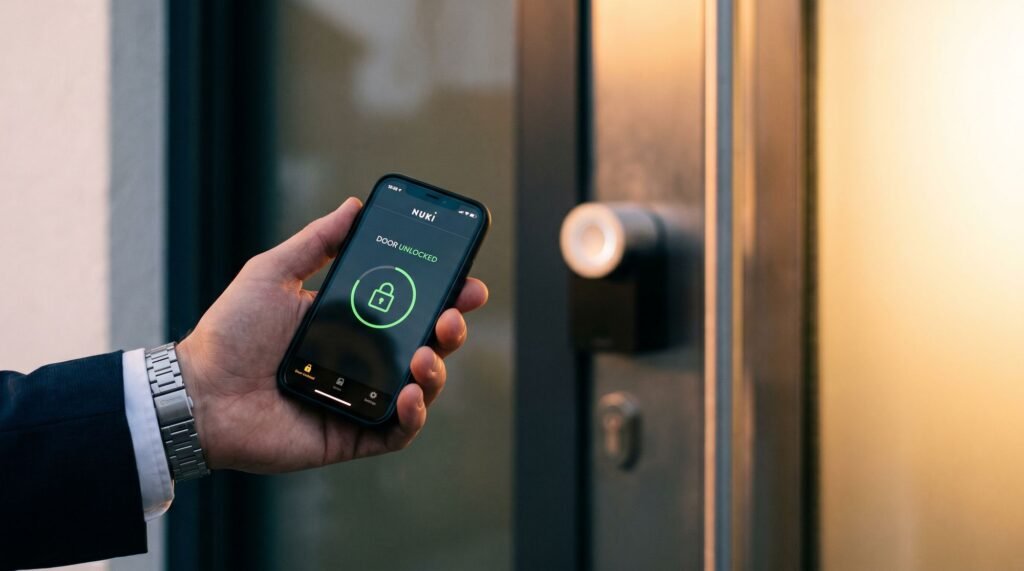
Nuki Smart Lock App Review, Security and Features
The Digital Command Center: More Than Just a Remote Local Control vs. Remote Access: Do You Need a Bridge? While the nuki smart lock app works seamlessly via Bluetooth for local control, its remote capabilities depend on your hardware setup: The Nuki smart lock application transforms your phone into a complete home access system — not just a convenient substitute for your keys. Most people assume a smart lock app does one thing: lock and unlock the door remotely. In practice, the app is the operational brain of the entire Nuki ecosystem, managing everything from initial setup to granular access permissions and real-time status monitoring. The app serves as the primary interface for both the Nuki Smart Lock and Smart Lock Pro models, meaning the same familiar environment scales with you whether you’re running a basic home setup or a more advanced configuration. It’s available for download on both the Apple App Store and Google Play Store, so universal access across device types is built in from day one. Beyond remote control, the app puts full system configuration at your fingertips — adjusting auto-lock timers, reviewing activity logs, and monitoring door status without stepping into another room. The initial pairing process happens over Bluetooth, which creates a secure, unique bond between your phone and the lock itself. This localized handshake matters: it means the connection is device-specific and can’t be casually replicated. That foundation of trust is just the starting point, though — because how that bond stays protected over time is where the real security story begins. Banking-Grade Security in Your Pocket The Nuki smart lock app delivers security architecture that matches what protects your online bank account — not as a marketing claim, but as an independently verified technical standard. End-to-end encryption means every signal between your phone and the lock is unreadable to any third party. There’s no open window for interception, whether someone is sitting outside your home with a signal scanner or attempting a remote breach. What makes this particularly robust is the addition of Challenge-Response authentication — a protocol that generates a unique, one-time code for every single unlock event. This directly neutralizes “replay attacks,” a method where a bad actor records a legitimate signal and replays it later to gain entry. Because each authentication token expires instantly after use, a recorded signal is worthless. According to AV-TEST, an independent IT security institute, this approach mirrors the encryption standards used in online banking — a benchmark most consumers already trust with their financial data. “The Nuki app uses end-to-end encryption with Challenge-Response authentication, similar to security standards used in online banking.” — AV-TEST, Independent IT Security Institute In practice, this independent verification matters more than manufacturer claims alone. When you complete the Nuki smart lock app download, you’re not just installing a convenience tool — you’re activating a security layer that has been stress-tested by an external authority. That credibility sets the foundation for everything the app manages, including the granular access controls covered in the next section. Mastering Access: Managing 200 Individual Permissions The Nuki smart lock app puts a complete digital keyring in your hands — one that can hold up to 200 unique access permissions for everyone from family members to first-time guests. That number isn’t arbitrary. According to Nuki Home Solutions GmbH, the app supports up to 200 individual digital keys, each configured independently. What makes this genuinely powerful isn’t the volume — it’s the precision. Access types available through the app include: Each permission type maps to a real-world use case, keeping your home open to the right people at exactly the right time — and no one else. Perhaps the most underappreciated feature is instant revocation. If a contractor’s job is done or a house-sitter’s stay ends, you remove their key in the app. No locksmith visit, no rekeying, no awkward conversation about returning a physical key. Pro Tip for Airbnb Hosts: Set up time-limited guest access that aligns precisely with your booking window. When checkout time hits, the digital key expires automatically — no physical handoff required, and no risk of a guest retaining access. The Nuki smart lock app store listing highlights this as one of the most popular use cases among property managers. This level of granular control changes the practical reality of home access — and it sets the stage for an even smarter layer of convenience: letting the app recognize when you are approaching and prepare the lock before you’ve even reached the door. The Magic of Auto Unlock and Geofencing Auto Unlock is the feature that makes the Nuki smart lock app feel less like a tool and more like a sixth sense — your door simply opens as you arrive. According to PCMag, Auto Unlock combines GPS, geofencing, and Bluetooth in a layered sequence to deliver this seamless experience. Understanding how those layers work together explains why it feels so reliable in practice. The process unfolds in three distinct stages: The switch to Bluetooth is a deliberate safety protocol — it prevents the lock from triggering while you’re still in your car or passing by. Additionally, the app includes an indoor detection safeguard that suppresses Auto Unlock when it recognizes you haven’t left home, avoiding false triggers entirely. Battery drain is a legitimate concern with always-on location features. The app addresses this through adjustable geofence radius settings and background activity controls, letting you balance responsiveness against phone battery life. That seamless arrival experience is satisfying — but knowing who came and went while you were out is equally valuable. That’s where the app’s activity log becomes indispensable. Total Transparency with the 5,000-Event Activity Log The Nuki smart lock pro app turns your lock into a transparent accountability system — one that never lets a door event slip through unnoticed. Real-time notifications arrive the moment your lock changes state. Whether someone locks up on the way out or a guest lets themselves in, your phone registers it instantly. There’s no guessing,
Nuki Smart Lock App Review, Security and Features Read Post »