
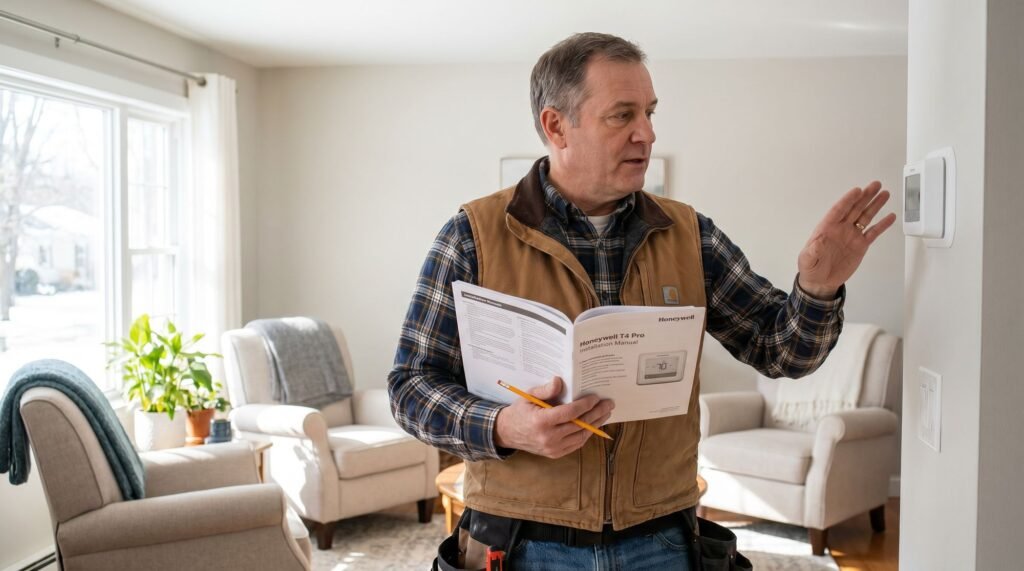
Honeywell T4 Pro Review: Why Contractors Still Trust It
After fifteen years in the HVAC trade, I’ve learned that the flashiest tech usually leads to the most late-night service calls. I’ve seen homeowners drop hundreds on a smart thermostat with a high-res screen only to find themselves shivering at 2 AM because a firmware update failed or the Wi-Fi dropped. When a customer asks for a device that “just works” without a degree in computer science, the Honeywell T4 Pro thermostat is my default recommendation. It addresses the number one pain point in home climate control: the gap between high-tech complexity and actual reliability. The Honeywell T4 thermostat isn’t trying to be your home’s central nervous system; it’s trying to be the most dependable switch on your wall. For contractors, the T4 Pro (model TH4110U2005/U) is a “set it and forget it” solution that reduces the dreaded “no heat” callbacks caused by user interface confusion. Whether you need a Honeywell T4 Pro programmable schedule or a simple non-programmable manual hold, this unit delivers precision without the fluff, ensuring your HVAC system runs as intended every single day. The T4 Pro: Why Simple Doesn’t Mean Basic The Honeywell T4 Pro thermostat proves that the most reliable tools in any trade are often the ones that do exactly what they promise — nothing more, nothing less. Smart home buzz has led many homeowners to assume that a thermostat without Wi-Fi is somehow behind the times. That assumption costs money. The T4 Pro (model TH4110U2005/U) delivers ±1°F temperature precision and the flexibility to run as either a programmable or non-programmable unit — a combination that covers the vast majority of residential HVAC installs in a single SKU. For contractors, that versatility translates directly to fewer truck-rolls and less inventory overhead. Rumors of the T4 Pro’s discontinuation surface regularly in trade forums, but the record is clear. As SupplyHouse.com notes, “The T4 Pro is part of the T Series portfolio of thermostats designed with contractors in mind… setting the new standard for simple.” It remains an active, supported product in the T Series lineup, backed by full manufacturer documentation and dedicated setup resources. Simple doesn’t mean basic — it means proven. Understanding exactly how the T4 Pro structures its scheduling logic is where contractors and homeowners alike unlock the most value, which is precisely what the next section breaks down. Mastering the T4 Pro Scheduling Logic The Honeywell T4 thermostat doesn’t just hold a temperature — it actively works around your household’s daily rhythm through three distinct scheduling frameworks. Depending on how consistent your week looks, you can choose the setup that fits your lifestyle: Each mode allows up to four time periods per day (Wake, Leave, Return, Sleep), giving you genuine granular control without overwhelming complexity. Adaptive Intelligent Recovery is where the T4 Pro earns a meaningful edge over basic programmable models. According to Honeywell Home (Resideo), this feature learns how long your specific system takes to reach a target temperature, then activates heating or cooling early so the room hits your setpoint exactly when you need it — not 20 minutes after you’ve already shivered through your morning routine. Pro Tip: Adaptive Intelligent Recovery is especially valuable for older HVAC systems that take longer to ramp up. Let the T4 Pro run through a few cycles before judging its accuracy — the learning process improves over the first several days of use. System configuration also matters here. The T4 Pro supports both 1 Heat/1 Cool and 2 Heat/1 Cool setups, accommodating homes with conventional single-stage systems as well as those running heat pumps with auxiliary backup heat. Selecting the correct configuration during installation ensures the scheduling logic coordinates your equipment properly — a detail worth confirming before the first program runs. This layered approach to scheduling pairs naturally with the T4 Pro’s mounting design, which itself has its own story worth understanding. The UWP Mounting System: Future-Proofing Your Wall The T4 Pro’s Universal Wall Plate (UWP) mounting system is one of the most contractor-friendly hardware decisions in the T-Series lineup — and it’s a feature that often goes unappreciated until the moment a homeowner wants to upgrade. The UWP design follows a standardized footprint across the entire T-Series family. That means when a homeowner eventually asks about adding Wi-Fi control, a contractor doesn’t need to pull wire or repatch drywall. According to Total Comfort Mechanical / Honeywell Home, the UWP system allows a snap-together upgrade to the Wi-Fi-connected T6 Pro without replacing the wall plate. The existing base stays put; only the thermostat head swaps out. The C-wire is the quiet hero of this upgrade path. Many installations that include a C-wire today are doing so with tomorrow’s smart thermostat in mind. Without a common wire, Wi-Fi models lose their continuous power source and fall back on battery drain or adapter workarounds. Contractors who wire a C-wire during a T4 Pro install are essentially pre-wiring the home for a seamless smart transition down the road — no callback, no upsell friction. For contractors, the standardized footprint also solves a practical scheduling problem. A single wall plate works across multiple T-Series models, which reduces the number of SKUs a technician needs to carry on the truck. That consistency matters on a busy service day. It’s also worth noting that homeowners curious about how to unlock Honeywell Pro Series thermostat settings — including advanced installer configuration options — will find those features become far more accessible once they understand the hardware foundation the UWP provides. That installer menu, and how to reach it, is exactly where the next section picks up. Installation and the ‘Hidden’ Configuration Menu Getting the T4 Pro onto the wall is straightforward — but the real setup happens inside a menu most homeowners never see. Physical installation follows a clean sequence. With power to the HVAC system switched off at the breaker, you remove the old thermostat, photograph the existing wiring, and connect each wire to the matching terminal on the UWP — a process made simpler by
Honeywell T4 Pro Review: Why Contractors Still Trust It Read Post »