
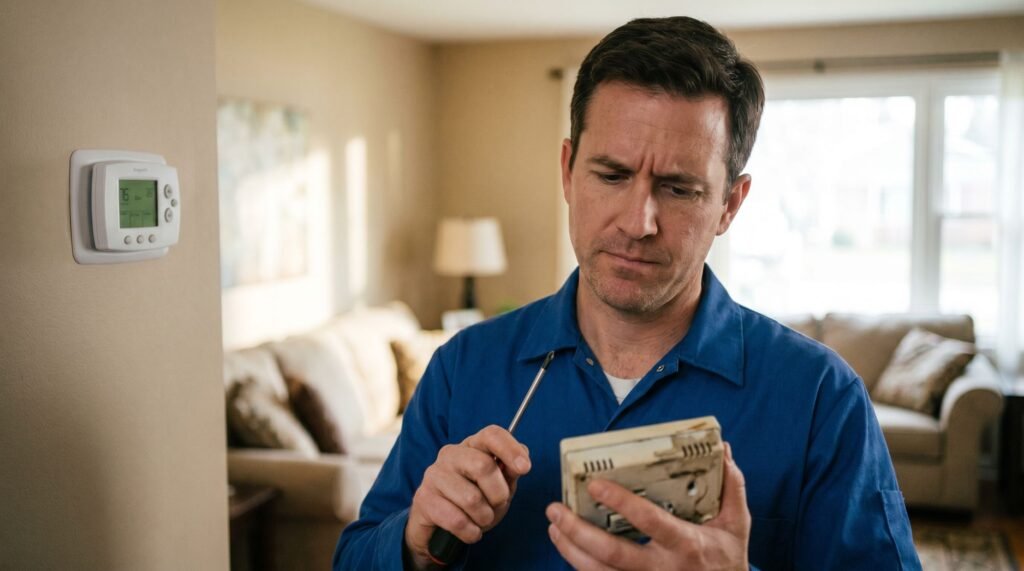
Thermostat Cool On Flashing: Causes, Fixes & Warning Signs
Don't Panic: Why Your Thermostat Is Blinking 'Cool On' There is a specific kind of sinking feeling that hits when you walk over to your thermostat on a 90-degree day, expecting a blast of cold air, only to find a blinking "Cool On" icon and a silent furnace. I’ve stood in those exact shoes—sweating in a stuffy hallway, staring at a Honeywell screen, and immediately calculating the cost of a weekend emergency HVAC visit. It’s a high-stakes moment where your home's comfort and your bank account feel like they're hanging by a thread. Through years of hands-on experience with residential HVAC systems, I’ve learned that this blinking light is rarely the "death knell" homeowners fear. In nearly 90% of cases, that flashing text is actually a sophisticated safety protocol known as short cycle protection. It’s your thermostat acting as a bodyguard for your compressor, preventing it from burning out due to pressure imbalances. Before you panic-search for a repairman, let’s break down exactly what your system is doing during those five minutes and when a blink actually turns into a red flag. Your house is warming up, you've turned on the AC, and instead of cool air, you're staring at a blinking "Cool On" message — it's frustrating, but it's not a crisis. That flashing indicator is a status update, not an error code. As Trane notes, if your thermostat is flashing "cool on" or a snowflake icon, it's usually a safety feature called delay mode that prevents your air conditioner's compressor from restarting too quickly. Your system is working exactly as designed. Short cycle protection is the built-in safeguard that holds your AC compressor in a temporary pause — typically around five minutes — before allowing it to restart. Think of it as your system taking a breath before running again. Whether you're troubleshooting a Honeywell thermostat cool on blinking situation or seeing the same behavior on another brand, this pause is the same protective mechanism at work. That brief delay is actually saving you money. Allowing the compressor to restart before refrigerant pressure equalizes can cause motor burnout, blown fuses, and costly repair bills. The blinking light is your system's way of protecting a component that can cost hundreds — sometimes over $1,000 — to replace. Before troubleshooting anything else, understanding why this delay exists is the essential first step — and the specific timing behind it matters more than most homeowners realize. The 5-Minute Rule: Understanding Short Cycle Protection A blinking "Cool On" message is your thermostat doing its job — actively protecting your AC compressor from a type of damage most homeowners never see coming. Short cycle protection is a built-in safety mechanism that forces a pause between cooling cycles. Before your AC compressor can restart, the refrigerant pressure inside the system needs time to equalize. If the compressor kicks on while pressure is still unbalanced, the stress on internal components is significant — and cumulative. According to InspectAPedia, most modern digital thermostats are programmed with a standard 5-minute safety delay specifically to allow those refrigerant pressures to stabilize before a restart is attempted. Skipping that window — a problem known as short cycling — can trigger a cascade of hardware failures. Without the delay, your system risks: Blown fuses from voltage spikes during a hard compressor start Motor burnout caused by the compressor working against locked rotor pressure Capacitor failure from repeated high-amperage startup loads Compressor overheating that shortens the unit's overall lifespan This protection is hard-coded into the firmware of major thermostat brands. Whether you're dealing with a cool on blinking Honeywell thermostat, a Nest, or an Ecobee, the delay isn't a glitch — it's a deliberate design choice. Honeywell's own support documentation confirms this behavior is expected and normal during the first few minutes after startup. The most important thing you can do right now: set a 5-minute timer and wait. If the blinking stops and cool air follows, your system is working exactly as designed. However, if the light keeps flashing well past that window, something else is driving the problem — and that's where the diagnosis gets more interesting. Why the Blinking Continues After 5 Minutes A thermostat flashing "Cool On" beyond the five-minute window isn't a delay — it's a distress signal pointing to something the system can't resolve on its own. The key distinction is this: a timed delay counts down and clears; a persistent fault loops indefinitely. Once that five-minute window passes without the compressor kicking on, the cause has shifted from protection logic to a power problem. Low voltage is the most common culprit. Your thermostat needs a steady 24V signal to close the cooling relay — the electrical switch that actually tells the AC to start. When voltage drops below that threshold, the relay stays open, the compressor never receives the signal, and the display keeps blinking in a holding pattern. According to Emerson (Sensi), if the "Cool On" text flashes for longer than five minutes, it may indicate a power supply issue or a low battery state . Power interruptions are another frequent trigger. A brief outage, a tripped breaker, or even a momentary voltage dip can leave the system in a confused state where the thermostat is ready but the downstream equipment never got a clean restart signal. What's worth emphasizing here is that persistent flashing almost never means the AC unit itself is broken. The problem typically lives upstream . That's an important frame to carry into the next step: systematically checking connections, batteries, and circuit breakers before assuming the worst. Troubleshooting Your Honeywell Thermostat When your thermostat is flashing "Cool On" past the five-minute window, a few targeted checks can quickly separate a simple fix from a call to an HVAC technician. Work through these in order — each step builds on the last. Check the C-wire connection. The common wire delivers continuous 24V power to your thermostat. A loose or missing C-wire causes voltage fluctuations that confuse the control board,
Thermostat Cool On Flashing: Causes, Fixes & Warning Signs Read Post »