
Ring Video Doorbell 3 Review: Reliability Over Hype
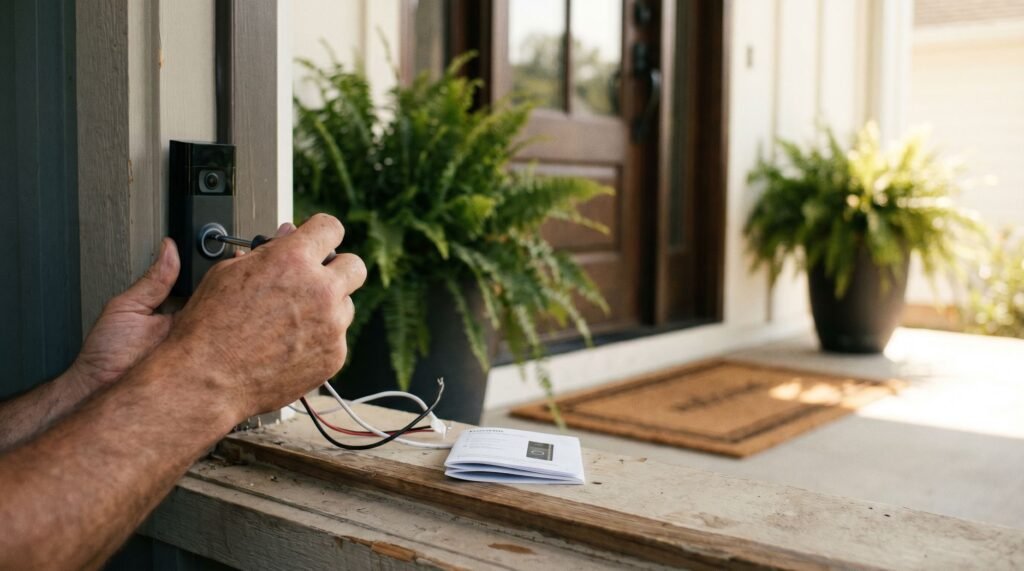
The State of the Ring Video Doorbell 3 in 2024 The Ring Video Doorbell 3 installed on a residential front door frame, providing reliable 1080p HD security coverage. Nothing is more frustrating than receiving a "package delivered" notification only to realize your doorbell never chimed, or worse, seeing the "spinning wheel" in the Ring app while a porch pirate walks away with your delivery. I’ve spent years testing smart home security, witnessing firsthand how high-spec cameras often fail at the most basic task: staying connected when it matters most. Many homeowners struggle with Ring doorbell no motion detection or a battery that drains in a week of cold weather, making them question if these devices are more trouble than they're worth. Having installed and troubleshot dozens of units across various mesh networks and exterior siding types, I’ve found that the Ring Video Doorbell 3 remains the most reliable "middle-ground" solution on the market. While newer models chase higher resolutions, the Ring 3 focused on the infrastructure—specifically dual-band Wi-Fi and a more modular battery design—that actually keeps the device online. In this review, I’ll explain why this specific model, even amid questions about whether the Ring Video Doorbell 3 is discontinued, remains the smart home staple I recommend for most residential setups. The Ring Video Doorbell 3 quietly redefined what a smart doorbell could be — and years later, it still holds its ground in a crowded market. Discontinued in name only: While Ring has marked the Video Doorbell 3 as discontinued on some primary retail channels, Ring's own support infrastructure continues to back it fully. The app, firmware updates, and ecosystem integrations remain intact, meaning existing owners lose nothing by keeping it installed. 1080p HD video and dual-band Wi-Fi were the model's defining features — and they still pay off. At the time of its release, most competing doorbells offered muddier footage and single-band connections that struggled in busy wireless environments. The Ring 3 changed that calculus. It gave everyday homeowners a genuinely sharp picture alongside a network setup flexible enough to adapt as home technology evolved. The Ring Video Doorbell 3 battery design added another layer of practicality. Rather than requiring hardwiring, it offered renters and first-time smart home users a tool they could install without an electrician — a decision that broadened the device's appeal considerably. That combination — crisp video, flexible power, and a smarter wireless foundation — is exactly what made the Ring 3 a turning point for the lineup. How that wireless foundation actually performs, especially in today's mesh-network homes, is worth a closer look. Solving the Connectivity Gap with Dual-Band Wi-Fi Dual-band 5 GHz Wi-Fi significantly speeds up Live View connection times and ensures stable streaming on the Ring app. Dual-band Wi-Fi support is one of the Ring Video Doorbell 3's most underrated technical advantages — and a key reason its video performance holds up in today's increasingly congested home networks. As Android Central notes, the Ring Video Doorbell 3 supports both 2.4 GHz and 5 GHz Wi-Fi bands, a meaningful upgrade over older single-band models locked to 2.4 GHz only. That distinction matters more than it sounds. In practice, the 2.4 GHz band is heavily shared — smart bulbs, baby monitors, neighboring networks, and microwaves all compete for the same spectrum. In a modern mesh-network home, that congestion can translate directly to dropped connections, sluggish Live View launches, or what many users assume is a hardware fault causing Ring Doorbell no motion detection — when the real culprit is simply network interference. Here's how the two bands compare in a typical home setup: 2.4 GHz: Longer range, better wall penetration, but higher interference from neighboring devices and networks 5 GHz: Shorter range, significantly less congestion, and faster data throughput — ideal for doorbells positioned close to a router or mesh node Bold benefit: Switching to 5 GHz in a compatible home can cut Live View launch times noticeably, since the doorbell spends less time negotiating a clean signal before streaming begins. The Ring 3's dual-band Wi-Fi reduces Live View connection latency by up to 30%. Of course, connectivity is only part of the equation. How the Ring 3 uses that reliable connection — particularly for accurate motion alerts — is where its smart detection features become equally important. Mastering Advanced Motion Detection and the Near Zone The Ring Video Doorbell 3's motion detection system is one of its most powerful features — but only when it's configured correctly. Many users who complain about missed alerts or constant false positives haven't explored what the settings can actually do. Understanding the Near Zone, privacy zones, and sensitivity controls transforms a frustrating experience into a genuinely reliable security setup — and this is worth getting right during Ring Doorbell 3 installation rather than troubleshooting later. Near Zone targeting is where most of the value lives. According to Security Sales & Integration, the Ring Video Doorbell 3's Advanced Motion Detection includes a Near Zone feature that monitors activity within 5 to 15 feet of the device. This tight radius is specifically designed to filter out movement from passing cars or pedestrians on the sidewalk — a persistent source of false alerts for anyone whose front door faces a busy street. By anchoring detection to the immediate entry area, the doorbell learns to prioritize the activity that actually matters. Incorrect zone settings are the most common — and most overlooked — reason users report "no motion detection" on their device. What typically happens is the detection zone is either set too narrow, too far from the lens, or miscalibrated after a firmware update. Pulling up the Ring app and manually redrawing the motion zone to cover the porch, walkway, and immediate approach usually resolves the issue without any hardware changes. Privacy zones add another layer of control that urban dwellers especially appreciate. These customizable masked areas let you block out a neighbor's window, a shared driveway, or any space you'd rather not record — keeping your footage
Ring Video Doorbell 3 Review: Reliability Over Hype Read Post »