
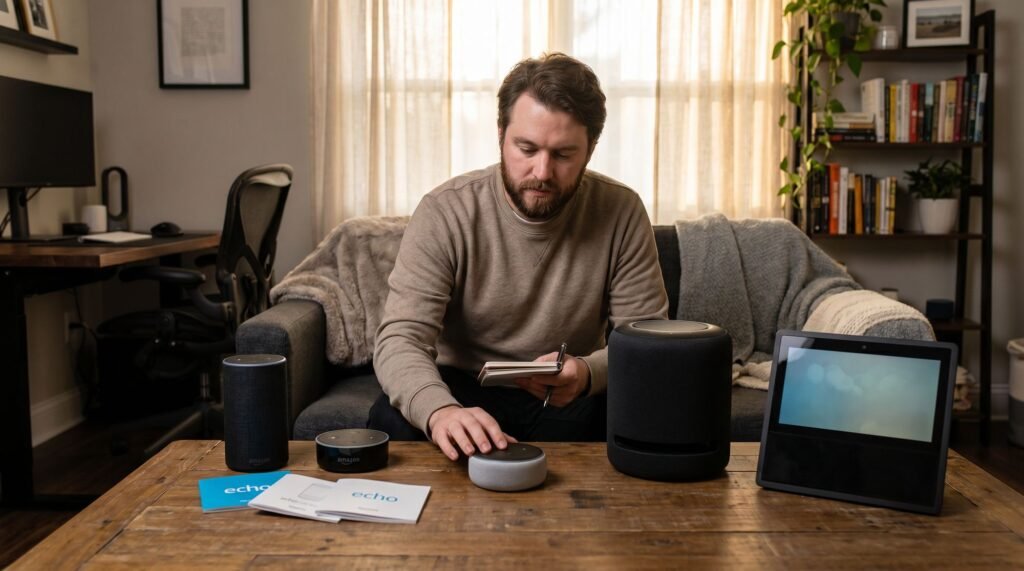
Echo Show 11 Review: The Best Smart Home Hub Upgrade Path
Identifying Your Hardware: Which Echo Do You Actually Have? Knowing exactly which Echo device sits on your shelf unlocks the right features, the right troubleshooting steps, and the right upgrade decisions — and it matters more than ever in 2025. The fastest way to confirm your model: open the Alexa app, tap Devices, select your speaker, then check "About Device" for the exact generation. Visual cues are your first shortcut. The Echo Dot 4th Gen is a clean sphere with no extras, while the 5th Gen adds a built-in temperature sensor and motion detector — visible as a subtle front-facing sensor cluster. If your Dot looks identical to a billiard ball, it's almost certainly 4th Gen, which means it lacks Matter and Thread protocol support that the 5th Gen carries natively. Echo Show identification requires a different eye. The Echo Show 11 features a 1,080p touchscreen locked into a static position — a deliberate design shift away from the motorized rotating screen of the Show 10. Bold callout: A static display isn't a downgrade — it's a reliability improvement. A device that won't physically spin is also a device less likely to experience motor failures that leave you asking why your amazon echo show won't turn on after a mechanical fault. That physical distinction shapes everything from daily use to long-term durability, and it's exactly where the next section picks up — starting with the entry-level devices competing for the same counter space. Echo Dot vs. Echo Pop: Choosing the Right Entry-Level Speaker The Echo Dot consistently outperforms the Echo Pop on almost every practical metric that matters to everyday smart home users. Audio quality is where the gap becomes obvious. The Dot's spherical design radiates sound in all directions, creating a wider soundstage that fills a room rather than projecting toward a single wall. As noted by Home Theater Review, the Echo Dot delivers noticeably superior audio quality despite being the less expensive option compared to the Echo Spot 2024. The Pop's flat, angled face simply can't compete with that omnidirectional "thump." Hidden features are where the Dot quietly earns its keep. Beyond better sound, it packs capabilities the Pop entirely lacks: Temperature sensor — monitors ambient room conditions and triggers Alexa routines automatically Motion detection — activates the display or triggers automations when you walk by Eero mesh extension — the Echo Dot (5th Gen) can add up to 1,000 square feet of wireless coverage to an existing network, according to Tom's Guide Echo Dot Kids edition — a ruggedized, parental-control-friendly variant unavailable in the Pop lineup Setup friction is minimal on both devices. When you Echo Dot connect to Wi-Fi, the Alexa app walks you through the process in under two minutes — a shared strength across the entry-level tier. For budget buyers, the Dot's sensor suite and mesh networking capability make it the smarter long-term investment. Those extra features also hint at the kind of local processing power you'll find in the premium display tier — a subject worth exploring closely. The Power of the Show: Why the 3rd Gen Show 8 and Show 11 Lead the Pack Processor generation defines the real-world gap between Amazon's current smart displays and everything that came before them. Local processing is the single biggest reason these displays feel fundamentally different. The Echo Show 8 3rd Generation runs on Amazon's AZ2 neural edge processor, which handles routine smart home commands directly on the device rather than routing them through the cloud. According to Pocket-lint, that architectural shift translates into 40% faster response times on common commands compared to the 2nd Gen model. For everyday tasks — dimming lights, checking a camera feed, adjusting a thermostat — that speed difference is immediately noticeable. The Show 11 pushes further still. It houses the newer AZ3 Pro processor, paired with Wi-Fi 6E connectivity for dramatically reduced network latency on compatible routers. But the hardware story that matters most for serious smart home users is protocol depth. As Lifehacker and Notebookcheck report, the Show 11 supports Zigbee, Matter, and Thread natively — meaning it can act as a hub for a wide range of third-party devices without requiring separate bridge hardware. That combination effectively ends "Alexa lag," the frustrating half-second delay that plagued older Echo hardware during multi-device routines. Local execution keeps command processing on-device, while Thread's mesh networking ensures signals reach smart home endpoints faster and more reliably. For households already invested in a growing device ecosystem — or planning to be — the Show 11's connectivity stack represents a meaningful infrastructure upgrade. Families with children, however, face a different set of priorities entirely, which is where Amazon's dedicated Kids lineup addresses needs that raw processing power alone can't solve. Parental Control Mastery: How to Use Echo Dot Kids Properly The Echo Dot Kids edition isn't just a standard Dot in a colorful case — it's a purpose-built device with a parental control ecosystem that requires deliberate setup to work correctly. The hardware difference matters as much as the software. Compared to the standard Dot, the Kids edition ships with a two-year worry-free guarantee and a year of Amazon Kids+ content. Common Sense Media, which provides independent safety ratings, notes that the Kids+ ecosystem offers robust age-appropriate filtering that makes it a top-tier choice for privacy-conscious parents. with a two-year worry-free replacement guarantee (versus the standard one-year limited warranty) and a kid-proof case. However, the real distinction is software: the Kids edition runs a filtered Alexa experience by default, which is meaningless without a properly configured Amazon Parent Dashboard. Setting up Amazon Kids+ is the non-negotiable first step. Without an active Kids+ subscription, content filtering and screen time tools simply don't activate. Through the Parent Dashboard, you can set daily time limits, schedule a "bedtime" after which Alexa goes quiet, and restrict Alexa to kid-appropriate music and skills only. The "Magic Word" feature encourages polite requests by prompting kids to say "please" — a small behavioral nudge that parents consistently find valuable.
Echo Show 11 Review: The Best Smart Home Hub Upgrade Path Read Post »