
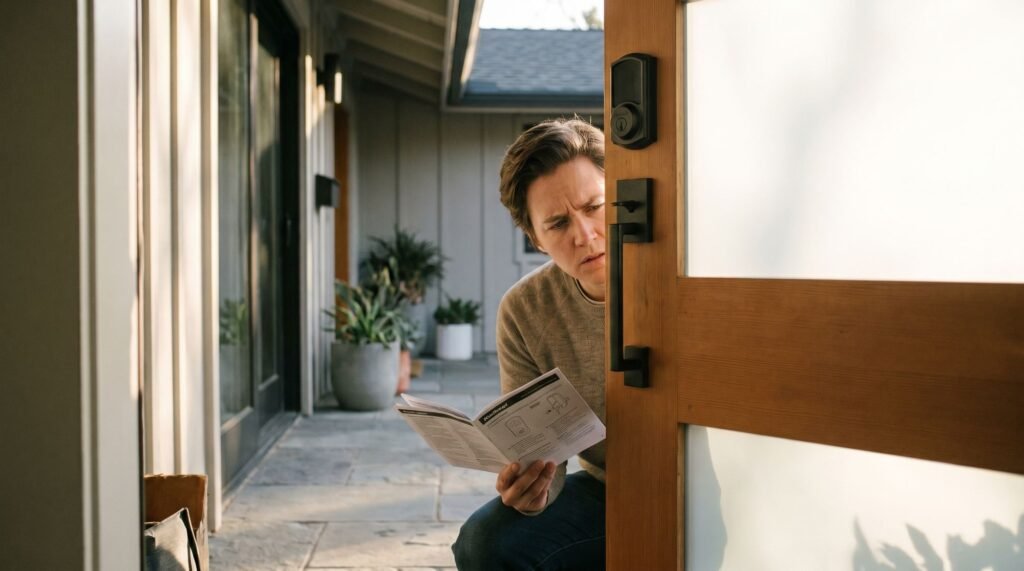
Kwikset Smart Lock Not Responding? Here’s How to Fix It
Why Your Kwikset Smart Lock Manual Isn't Enough That grinding whir of a motor straining against a bolt that won't move is one of the most frustrating sounds a homeowner can hear — especially at the front door. You've followed every step in the Kwikset smart lock manual, replaced the batteries, and still nothing works the way it should. Here's the reassuring truth: approximately 95% of Kwikset smart lock issues trace back to eight fixable issues — dead batteries, door misalignment, or incorrect reset procedures — not defective hardware. That distinction matters enormously. A hardware defect means a physical component has failed and likely requires a warranty claim or replacement. A setup error, by contrast, is a configuration or environmental problem that any homeowner can resolve with the right guidance. The trouble is that most printed manuals were written to cover the broadest possible audience, which means they gloss over the situational details — humidity warping a door frame, handing calibration skipped during installation, or a lock that never learned its own orientation — that cause the majority of real-world failures. Understanding that gap between generic instructions and your specific situation is the first step toward a working lock. Before diving into individual fixes, it helps to internalize a few foundational rules that apply across every Kwikset model. And the very first rule starts with something most guides treat as optional: the calibration sequence your lock must complete before it can do anything else reliably. Mastering the Door Handing Calibration Skipping door handing calibration is the single most common reason a brand-new Kwikset smart lock whirs, flashes red, and refuses to latch — and the manual buries it in step seven. According to Kwikset, door "handing" calibration is required during initial setup to teach the lock which direction the door swings. Without it, the motor has no reference point — it doesn't know whether to push the bolt left or right. The result is a lock that either stalls mid-throw or retracts when it should extend. Symptoms of a miscalibrated lock follow a recognizable pattern: a labored motor whir, a red LED flash sequence (typically three blinks), and a bolt that stops short. If you've already tried a Kwikset smart lock reset and the same behavior returns within a few cycles, a missed handing calibration is likely the culprit — not a hardware fault. The initial power-up sequence is where calibration happens automatically, and the logic is straightforward: Insert fresh batteries with the door open and the bolt fully retracted. Press and hold the Program button (inside the battery compartment) until the lock beeps and the bolt extends and retracts once — this is the calibration cycle completing. Test manually by pressing the lock button; the bolt should extend smoothly without grinding. ⚠️ Warning: A red LED flash during step two means the calibration failed. Do not proceed to code programming. Remove the batteries, confirm the bolt moves freely by hand, and repeat the sequence from the start. This process applies across the Aura, Halo, and Powerbolt 2 models, though button placement varies slightly by hardware. Once calibration succeeds, the lock understands its orientation — and that foundation matters more than most homeowners realize. What's less obvious is what happens after calibration when the physical doorframe itself becomes the problem. The Physics of a Jammed Bolt: Strike Pockets and Alignment A smart lock that accepts your code but still leaves your door unsecured isn't a software problem — it's a physics problem hiding behind a blinking green light. Code acceptance and successful bolt extension are two completely separate events. According to Smart Lock Advice, misaligned door components and shallow strike pockets account for 60% of cases where a code is accepted but the bolt fails to fully extend. That statistic matters, because it means the majority of "my lock isn't working" calls aren't about electronics at all. The strike pocket — the recessed cavity in your door frame where the bolt seats — needs to be at least 1 inch deep and completely clear of debris, paint buildup, or wood fiber. A pocket that's even slightly shallow creates resistance the motor must fight against on every single locking cycle. That resistance quietly drains your batteries far faster than normal use, which is why unexplained battery drain is often the first symptom of a physical alignment issue rather than a failing power source. Seasonal wood swelling compounds the problem significantly. Doors in humid climates can shift enough between summer and winter to throw the bolt path off-center by a quarter inch — more than enough to cause binding. Before you consider reprogramming or start searching for how to change code on Kwikset lock settings, run through this physical inspection first: Manually extend the bolt with no door closed — confirm it moves smoothly with zero grinding Close the door and check for visible gaps or uneven contact along the door frame Insert a finger into the strike pocket and feel for paint layers, wood chips, or debris Mark the bolt tip with a pencil, close the door, and lock it — inspect whether the mark transfers cleanly to the pocket center Test the lock in both summer and winter conditions if swelling is suspected Once the mechanical path is confirmed clean and true, you're in the right position to move on to what the lock's programming is actually doing — starting with the access codes themselves. How to Program and Change Codes on Your Kwikset Lock Your Master Programming Code is the single point of failure for your entire lock's security — get it right, and every other code on the lock falls into place beneath it. Kwikset locks use two distinct credential types. User codes are the day-to-day entry codes you share with family members, dog walkers, or houseguests. The Master Programming Code sits above all of them, controlling the ability to add, delete, or modify every user code on the device. As DHgate's locksmith experts put it: "The
Kwikset Smart Lock Not Responding? Here’s How to Fix It Read Post »